UI Walkthrough
Preview
Section titled “Preview”Rendered by this sample’s own Playwright run — theme and viewport are the real matrix, not a mockup.
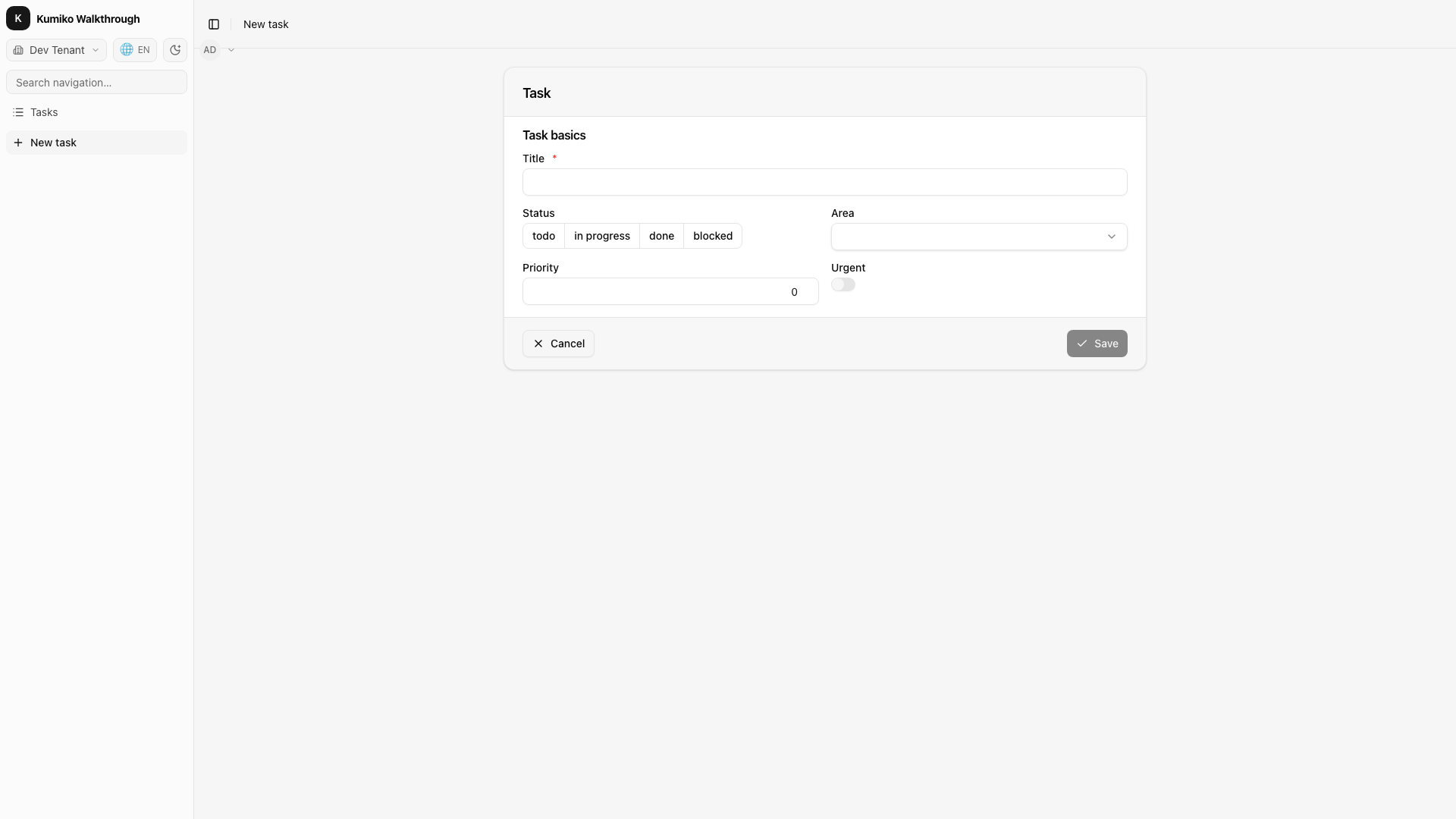
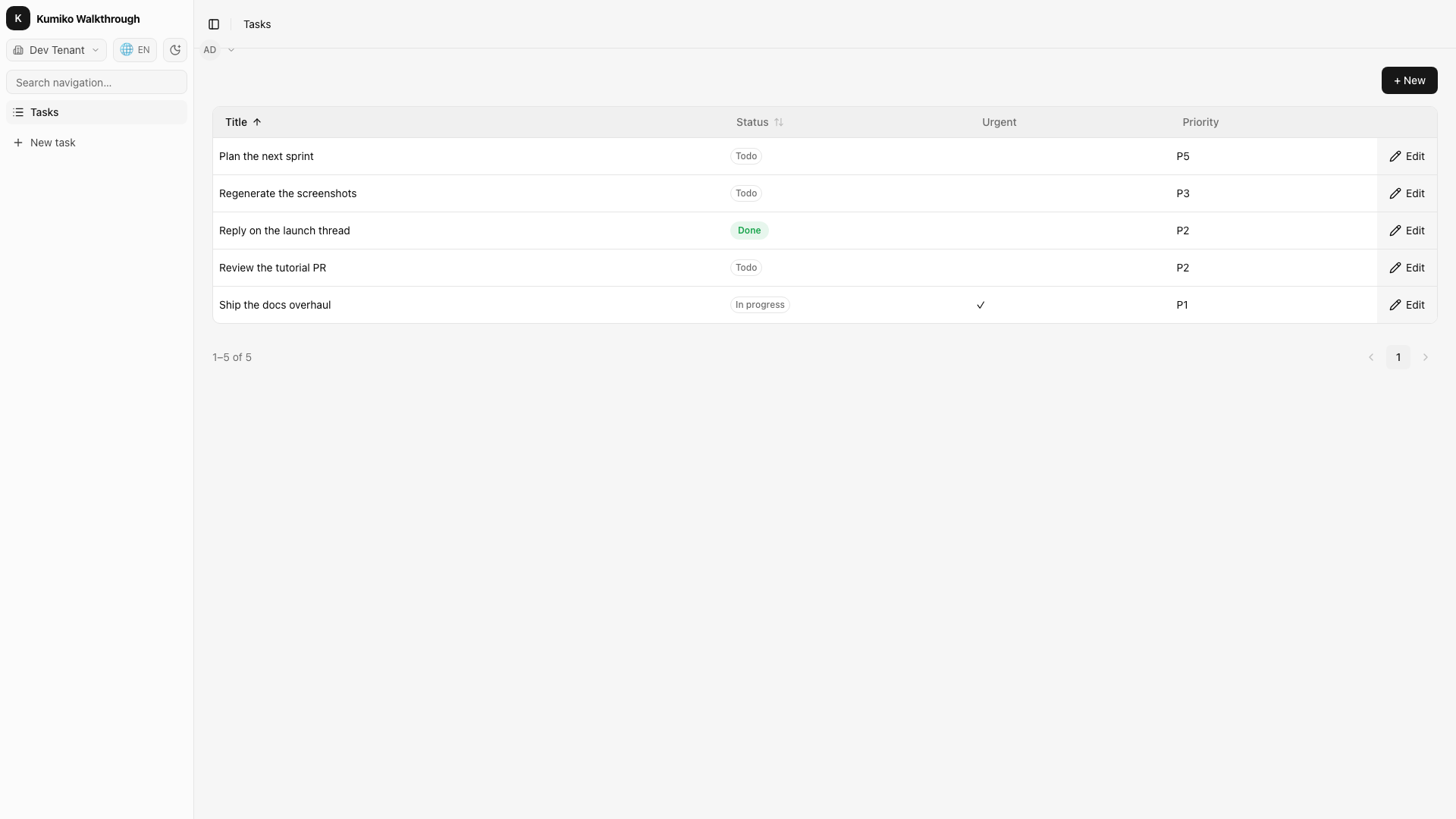
Full-stack demo of the Kumiko renderer: DefaultAppShell +
LanguageSwitcher + ThemeToggle + emailPasswordClient +
TenantSwitcher + tasks CRUD. Boots via runDevApp from
@cosmicdrift/kumiko-dev-server in auth mode (login screen before
access) with two dev tenants so the TenantSwitcher is visible.
# Boot Postgres + Redis (once)bun kumiko dev
# In a new terminal — boots the sample on http://localhost:4173cd samples/apps/ui-walkthrough && bun dev
Port 4173 is hardcoded in the dev script so three samples can run in
parallel (workspaces=4174, showcase=4175). Use
KUMIKO_DEV_DB_NAME=tasks_demo bun dev for a persistent DB (data
survives restarts).
Design-Abnahme #3381
Section titled “Design-Abnahme #3381”Features rental (319 leases, 19 board rows first) and vehicles
(Octavia + 4 campaigns) mirror the design board masks.
bun kumiko devcd samples/apps/ui-walkthrough && bun dev # http://localhost:4173, admin@kumiko.dev / kumiko-admin| Mask | Route |
|---|---|
| Liste | /lease-list (pager check: /lease-list-short, 3 rows) |
| Detail | click “Max Nachmieter” (/lease-detail/00000000-0000-4000-8000-000000003103), tab “Positionen” |
| Drawer | Positionen tab, button “Miete anpassen” |
| Formular | /vehicle-list, click “Octavia” (/vehicle-edit) |
| Wizard | /vehicle-list, row menu “Schritt für Schritt” (/vehicle-wizard), 3x “Weiter” for step 4 |
| Mobile | /campaign-list at 390 px width |
Screenshots (light 1440x900, mobile 390x844, dark for liste and detail):
SCREENSHOT_DIR=/path/to/shots bun --env-file=../../../.env x playwright test e2e/screenshots.spec.ts --config=playwright.config.tsSchema
Section titled “Schema”src/run-config.ts holds APP_FEATURES + HAS_AUTH. kumiko/schema.ts
derives ENTITY_METAS from the same compose path as the dev server — the
pattern used by kumiko new app and production apps like publicstatus.
# From this directory — static schema/boot alignment check (no DB)bun test src/__tests__/schema-alignment.test.tsadmin@kumiko.devkumiko-adminThe admin is a member of two tenants — the TenantSwitcher in the topbar toggles between “Dev Tenant” (role Admin) and “Beta Tenant” (role User), proving tenant-isolated memberships.
What to try
Section titled “What to try”Form + validation
- Type into Title — the form controller pins
dirty+changes. - Empty title + submit →
requiredvalidation blocks, no network call. - Tick Is urgent → the
notesfield appears with a required marker. - Submit with urgent + empty notes → field error.
Optimistic locking
- Open the form for a task in tab A.
- Edit the same task in tab B, save.
- Tab A: save → banner “Version conflict, reload”.
Tenant switch
- Click the tenant switcher in the topbar → switches to the Beta tenant.
- Task list is empty (Beta has none), role flips to User.
Theme toggle
- Click sun/moon top-right —
<html>class toggles betweenlightanddark, Tailwind tokens follow.
Language
- LanguageSwitcher → de/en, nav labels switch instantly
(
tasks.nav.list→ “Aufgaben” / “Tasks”).
# From repo rootbun kumiko test e2e samples/apps/ui-walkthroughSix Playwright specs: smoke + create flow + update flow + 4 generated specs (from the registry-driven E2E generator).
Source
Section titled “Source”📄 On GitHub: samples/apps/ui-walkthrough