Editable content collections
Use a template-resolver collection for text that editors should change
without a deploy: mail bodies, prompts, legal copy, or canned replies. A
collection appears in navigation and gets list, detail, and save handlers.
The collection definition controls the editor and access boundary. Individual
entries do not redefine variableSchema; declare variables at the collection
mount so every editor sees the same chips and preview examples.
Two decisions per collection: who owns the entries, and how they are edited.
Tenant-wide: one set everyone shares
Section titled “Tenant-wide: one set everyone shares”The default is one shared set per tenant. Every user with the configured role sees the same entries.
createTemplateResolverFeature({ collections: [ { id: "snippets", kind: "text-block", access: { roles: ["Admin", "Editor"] }, nav: { parent: "content" }, contentFormat: "rich", }, ],});access belongs to the mount because only the app knows its role names. Each
collection receives its own handlers and access rule.
Per user: everyone keeps their own
Section titled “Per user: everyone keeps their own”Set ownership: "user" when each user should edit a private set of entries.
Mail signatures are one example.
createTemplateResolverFeature({ collections: [ { id: "signatures", kind: "text-block", ownership: "user", access: { roles: ["Agent"] }, nav: { parent: "settings" }, contentFormat: "rich", }, ],});Two things come with that choice:
- The rows live in
user-content-entryand count as personal data. Mounttemplate-resolver-user-dataas well, or the boot check stops the app. - The entity needs a schema migration. Generate it with
kumiko-schema.
Which editor the collection gets
Section titled “Which editor the collection gets”contentFormat selects the editor:
plainrenders a text area.richrenders the built-in WYSIWYG with bold, italic, headings, lists, and links. It stores HTML. Tables and image uploads are not included.
Both editors can show variables from variableSchema as insertable chips and
preview the result with sample data.
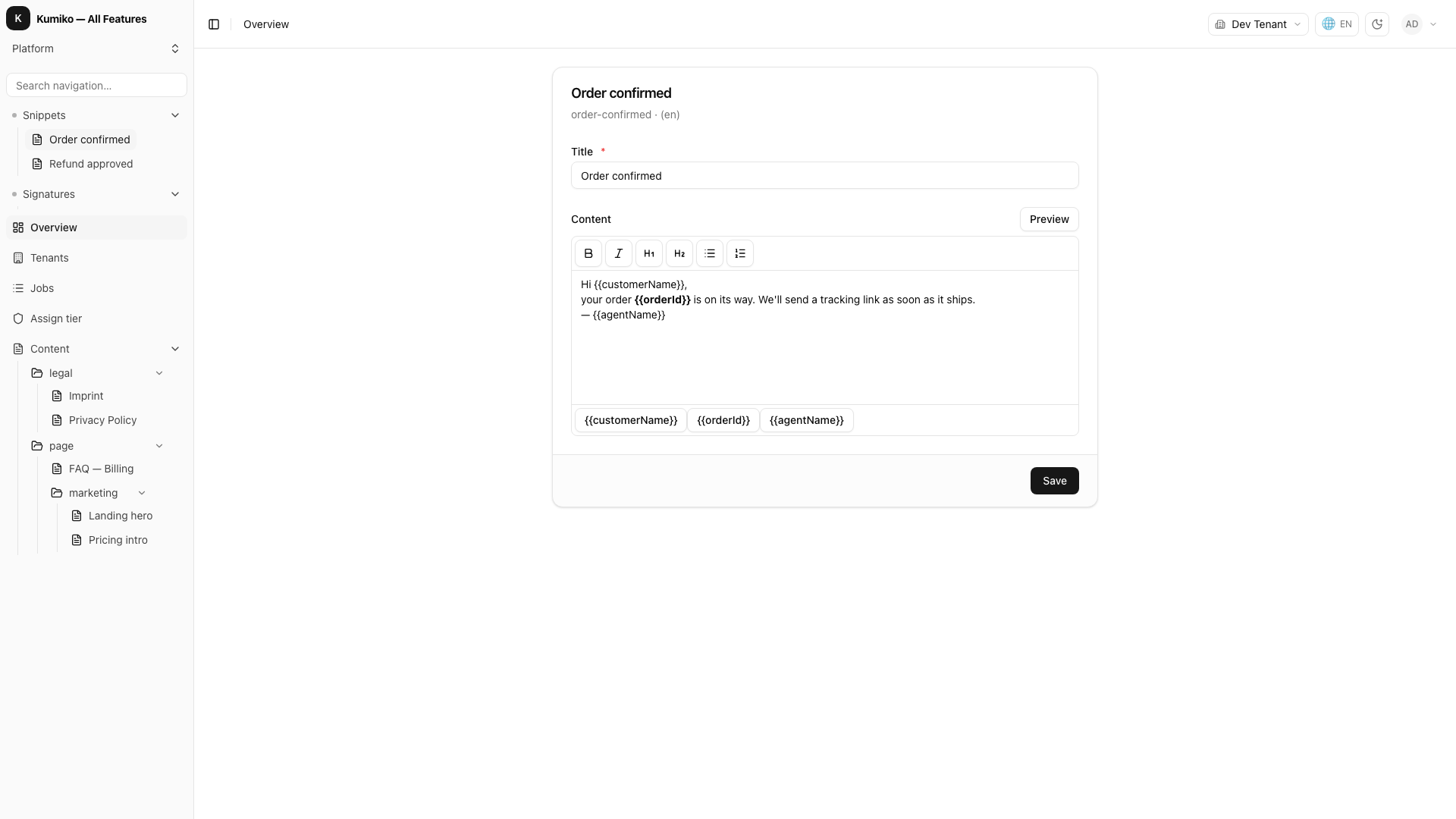
If neither editor fits, register a component for that format in a client feature:
export const myClientFeature = { name: "my-app", contentEditors: { rich: MyEditor },};The labels are yours
Section titled “The labels are yours”The collection ID is app-owned, so its navigation label is app-owned too. Put
the translation keys in a feature included in APP_FEATURES; a client-only
screen feature does not reach the server-side boot validator.
r.translations({ keys: { "templateResolver:nav.signatures": { de: "Signaturen", en: "Signatures" }, },});