Build a marketing landing page
A marketing landing page is mostly static: a hero, feature cards, pricing, and
a call to action. renderApexPage turns an ApexPage into one server-rendered
HTML string. It does not require React or hydration.
The renderer lives in @cosmicdrift/kumiko-headless/apex. Your app passes the
page data and brand tokens. The renderer supplies the light/dark themes and the
supported section types.
Compose it from your features
Section titled “Compose it from your features”Keep landing-page content in the features that own it. Hard-coded copy and prices go stale, which makes the marketing page drift from the product. Pull each piece from its existing feature:
- Hero headline & tagline ←
template-resolver, editable copy, keyed by slug, changed without a deploy. - Meta title & description ←
template-resolver, the same blocks, reused for the page title and SEO. - Prices & per-month suffix ←
tier-engine, the amounts from your plan config, one source of truth. - Plan caps (“50 projects”) ←
tier-engine/ cap config, the same limits the app enforces. - Sign-in / sign-up links ←
auth-email-password, the real auth routes.
The renderer does not fetch data or know about your features. Read the values in
your app and pass plain data to it. This keeps renderApexPage a pure function.
The two seams
Section titled “The two seams”Hero copy from template-resolver. Look up each block by slug and provide a
fallback for an empty store:
function block(blocks: ContentBlocks | undefined, slug: string, fallback: string): string {  return blocks?.get(slug) ?? fallback;}
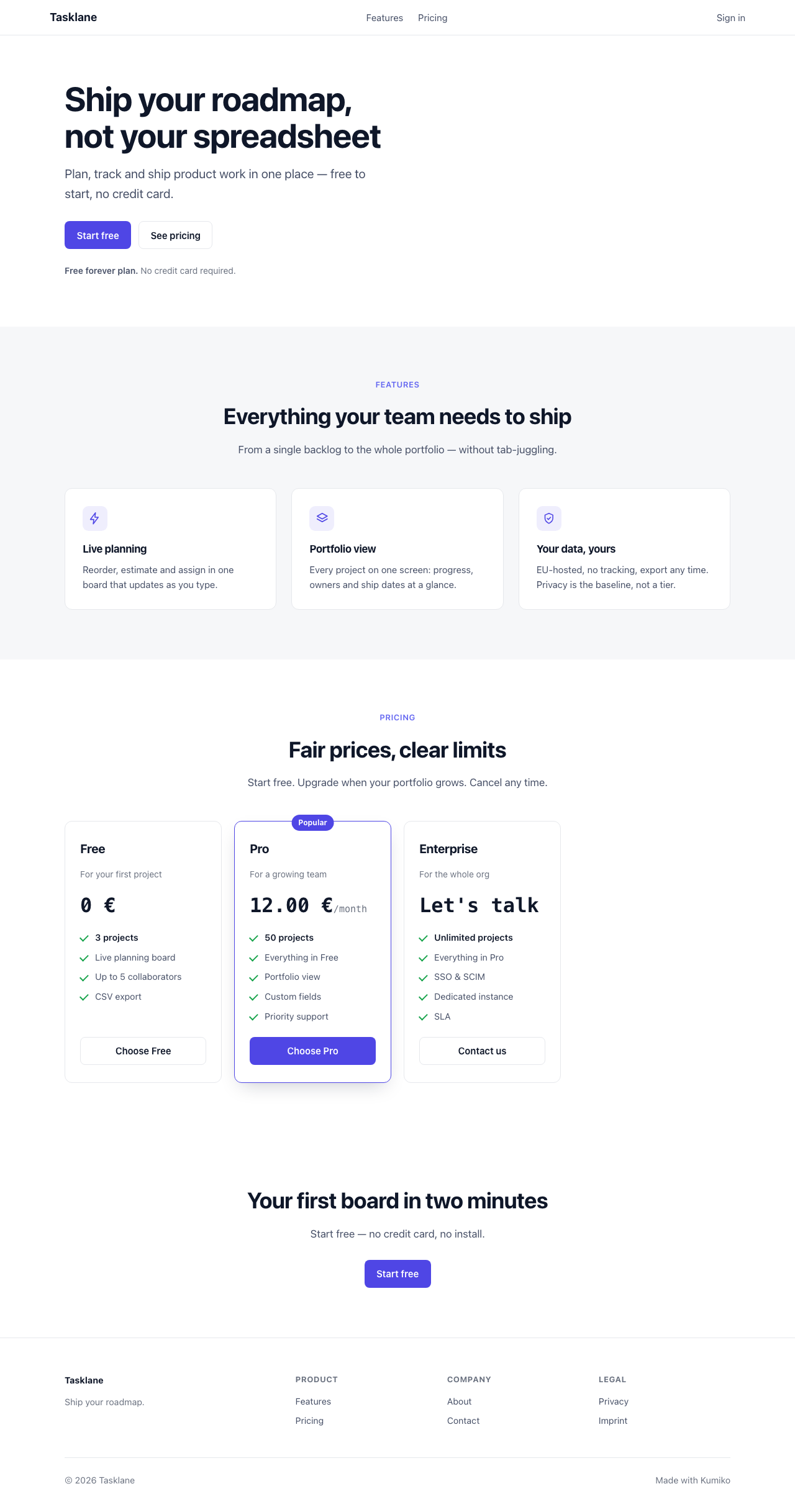
// in the hero section:title: block(input.blocks, "index:hero.title", "Ship your roadmap, not your spreadsheet"),
Prices from tier-engine. Map each plan from the same tier config that
enforces its limits:
function toPricingTier(plan: PlanInfo): ApexPricingTier { const paid = plan.monthlyEur !== null; return { name: plan.name, amount: paid ? formatEuro(plan.monthlyEur) : "0 €", priceSuffix: paid ? "/month" : undefined, capLine: Number.isFinite(plan.maxProjects) ? `${plan.maxProjects} projects` : "Unlimited projects", benefits: plan.benefits, cta: { label: `Choose ${plan.name}`, href: "/signup" }, };}Try it
Section titled “Try it”The apex-landing recipe contains both seams, tests for the fallback and price formatting, and the screenshot above. Its embedded source is the runnable implementation.
Run bun run screenshot in the recipe to regenerate the local screenshot. CI
sets SCREENSHOT_DIR to the published Apex screenshot directory.
The head object is also where canonical, Open Graph, Twitter, and JSON-LD
metadata belongs. renderApexPage emits those tags; the renderer does not
derive them from feature data for you.
Section kinds
Section titled “Section kinds”An ApexPage is a head, a header, a footer, and an ordered list of
sections. Each section is one of:
hero, logo, headline, tagline, CTAs, optional screenshot (click.shot-frameto enlarge).feature-grid, eyebrow, heading, and a grid of icon + title + text cards.pricing-grid, the plan cards, oneApexPricingTiereach.info-grid, a lighter grid for trust / FAQ / “how it works” blurbs.final-cta, closing headline and a single call to action.html, an escape hatch for one app-specific section of raw HTML.
Themes switch on theme: "light" | "dark"; both CSS sets ship and the body
class toggles. Brand colours come from brand.tokensCss, the :root token
block your app already owns, passed through verbatim.
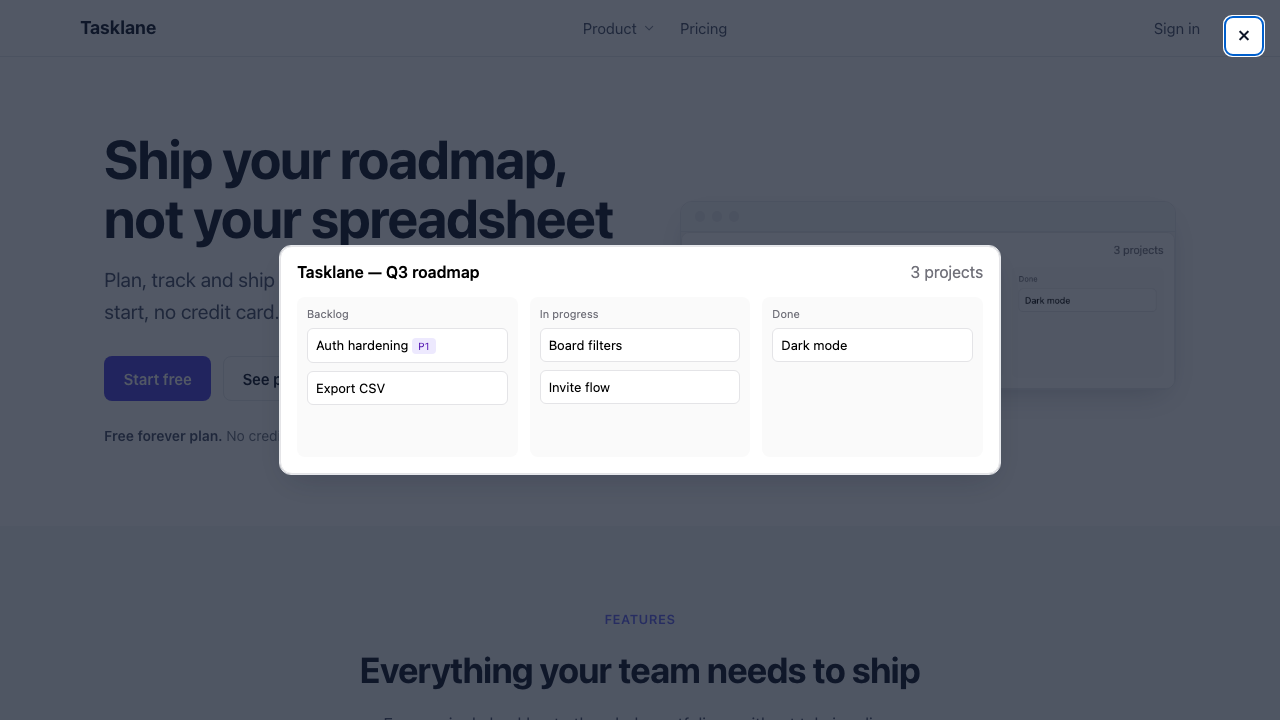
Screenshots inside .shot-frame (hero and custom html showcase rows) open
in a built-in lightbox, vanilla <dialog>, no React:
Details: Dialog and Lightbox overlays.