managed-pages
Tenant-editable, server-rendered public pages with per-tenant branding. Stores one page (Markdown or editor-document HTML body, per bodyFormat) per (tenantId, slug, lang) in the read_pages entity table with a published gate plus description/ogImage SEO meta. Registers an anonymous GET {basePath}/:slug route that resolves the tenant from the request Host through the server’s host resolution (deps.hostTenantId) or an app-supplied resolveApexTenant, serves only published pages (drafts → 404), renders Markdown through the hardened page-render core and document bodies through the template-resolver document sanitizer, and isolates per-tenant content with Vary: Host. Ships TenantAdmin/SystemAdmin admin screens (entityList + entityEdit) backed by convention CRUD handlers (managed-pages:write:page:{create,update,delete}, managed-pages:query:page:{list,detail}); the app wires nav/workspace onto managed-pages:screen:page-list. Also exposes managed-pages:query:by-tenant-published (anonymous, SQL-filtered on published) for sitemap/discovery consumers such as the seo feature. Branding comes from the branding feature (branding:query:tokens); the render path applies it as scoped :root CSS vars + a logo/title header. Also exposes managed-pages:write:set (idempotent slug-keyed upsert, SystemAdmin cross-tenant via tenantIdOverride) as a provisioning API. Requires config, branding + anonymousAccess wired at app bootstrap.
Quick example
Section titled “Quick example”From recipes-managed-pages — the smallest working mount:
import {  createBrandingCssFeature,  createBrandingFeature,} from "@cosmicdrift/kumiko-bundled-features/branding";import { createConfigFeature } from "@cosmicdrift/kumiko-bundled-features/config";import { createManagedPagesFeature } from "@cosmicdrift/kumiko-bundled-features/managed-pages";import { SYSTEM_TENANT_ID } from "@cosmicdrift/kumiko-framework/engine";
// branding declares `r.requires({ features: ["config"] })` for its keys — the// config feature must be in the stack (runProdApp auto-mounts it; setupTestStack// does not, so the recipe lists it explicitly).export const configFeature = createConfigFeature();
// Single-tenant: every host maps to the system tenant. A multi-tenant app with// host-routing (or another tenant resolver) omits resolveApexTenant; the route// then uses the server's host resolution.export const managedPagesFeature = createManagedPagesFeature({  resolveApexTenant: () => SYSTEM_TENANT_ID,});
// Per-tenant branding lives in its own feature; managed-pages reads it at render time.export const brandingFeature = createBrandingFeature({ allowCustomCss: true });
// Companion per-tenant toggle for the CSS-inject capability. Compose it and wire// feature-toggles to gate custom CSS per tier; without a toggle runtime,// `ctx.hasFeature` fails open and CSS stays on (the render-time sanitizer is the// safety boundary regardless).export const brandingCssFeature = createBrandingCssFeature();
📄 On GitHub: samples/recipes/managed-pages/src/feature.ts
Live preview
Section titled “Live preview”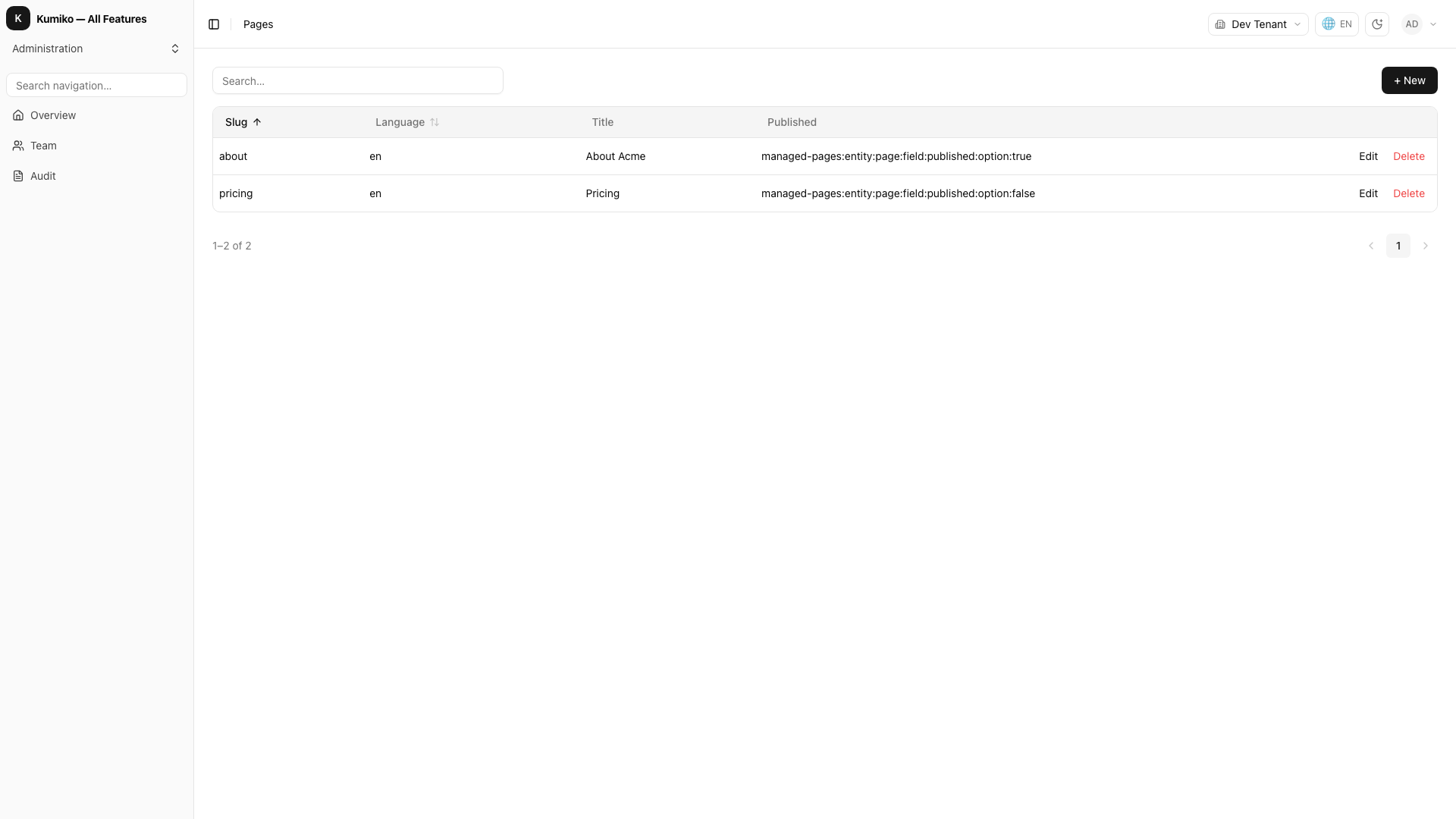
How it fits
Section titled “How it fits”What this feature needs to run (Requires, top) and the write commands this feature provides (Provides, bottom).
flowchart TB
  n_managed_pages["managed-pages"]
  subgraph how_reqs["Requires"]
    n_config["config"]
    n_branding["branding"]
  end
  subgraph how_provides["Provides"]
    n_cmd_managed_pages_write_page_create(["create"])
    n_cmd_managed_pages_write_page_delete(["delete"])
    n_cmd_managed_pages_write_page_update(["update"])
    n_cmd_managed_pages_write_set(["set"])
  end
  n_config --> n_managed_pages
  n_branding --> n_managed_pages
  n_managed_pages --> n_cmd_managed_pages_write_page_create
  n_managed_pages --> n_cmd_managed_pages_write_page_delete
  n_managed_pages --> n_cmd_managed_pages_write_page_update
  n_managed_pages --> n_cmd_managed_pages_write_set
Provides — write commands this feature registers (dispatch them through the command bus):
managed-pages:write:page:createmanaged-pages:write:page:deletemanaged-pages:write:page:updatemanaged-pages:write:set
Getting started
Section titled “Getting started”Start with recipes-managed-pages for a step-by-step walkthrough with runnable code and integration tests.