custom-fields
Tenant- and system-scoped custom field definitions with generic value storage on any host entity. Registers the field-definition entity (event-sourced CRUD via define-tenant-field, define-system-field, update-tenant-field, delete-tenant-field, delete-system-field) and two value write-handlers (set-custom-field, clear-custom-field) that emit custom-fields:event:custom-field-set / custom-fields:event:custom-field-cleared events on the host aggregate’s stream. To attach custom fields to your own entity, call wireCustomFieldsFor(r, entityName, entityTable) in the host feature — this wires the JSONB projection, postQuery flattening hook, and search-payload extension. The host entity must declare a customFieldsField() JSONB column.
Quick example
Section titled “Quick example”From recipes-custom-fields-basic — the smallest working mount:
// kumiko-feature-version: 1// Custom-Fields Basic Sample//// Shows how a feature opts a tenant-owned entity into the custom-fields// extension: tenants can define their own fields at runtime, set values// per row, and read them back flattened onto the entity — without writing// a single migration or extra handler.//// Flow://   1. App-author defines a `property` entity and wires it via//      `wireCustomFieldsFor(r, "property", propertyTable)`.//   2. A tenant admin defines a field at runtime//      (e.g. `internalNumber: text`) via the bundle's CRUD.//   3. Values are written via `custom-fields:write:set-custom-field`,//      not through the host entity's own write handler.//   4. Reads return the field flattened onto the row — looks like a//      first-class column. The flattening is an entity-level postQuery//      hook (registered by wireCustomFieldsFor), so it fires for ANY//      query whose name maps to this entity — including the hand-written//      `property:list` below.
import {  customFieldsField,  wireCustomFieldsFor,} from "@cosmicdrift/kumiko-bundled-features/custom-fields";import { buildEntityTable, createEventStoreExecutor } from "@cosmicdrift/kumiko-framework/db";import { createEntity, defineFeature } from "@cosmicdrift/kumiko-framework/engine";import { z } from "zod";
// --- Entity ---//// The field shape is declared as a plain object literal so the feature is// self-describing Object-Form (what the AI/Designer should emit). The same// literal is passed inline to `r.entity` below. `{ type: "jsonb" }` is// exactly what `customFieldsField()` produces — the jsonb column the// bundle's projection writes into; without it `wireCustomFieldsFor` has// nowhere to land the values.
export const propertyEntity = createEntity({  table: "read_sample_cf_properties",  fields: {    name: { type: "text", required: true, maxLength: 200 },    customFields: customFieldsField(),  },});
export const propertyTable = buildEntityTable("property", propertyEntity);
function propertyExecutor() {  return createEventStoreExecutor(propertyTable, propertyEntity, { entityName: "property" });}
// --- Feature ---
export const propertyFeature = defineFeature("property-management", (r) => {  r.requires("custom-fields");
  r.entity("property", {    table: "read_sample_cf_properties",    fields: {      name: { type: "text", required: true, maxLength: 200 },      customFields: { type: "jsonb" },    },  });
  // Opt this entity into the custom-fields extension. This registers the  // multi-stream projection (MSP) that consumes customField.set / .cleared  // events and writes them into the `customFields` jsonb column, plus the  // entity postQuery hook that flattens the jsonb onto the row at read-time.  wireCustomFieldsFor(r, "property", propertyTable);
  r.writeHandler({    name: "property:create",    schema: z.object({ id: z.string(), name: z.string() }),    access: { roles: ["TenantAdmin"] },    handler: async (event, ctx) =>      propertyExecutor().create(        { id: event.payload.id, name: event.payload.name, customFields: {} },        event.user,        ctx.db,      ),  });
  // List query. Named `property:list` so it maps to the `property` entity  // (colon convention) — that mapping is what lets the entity postQuery  // hook from wireCustomFieldsFor flatten customFields onto each row. The  // handler itself just reads the tenant-scoped read table; ctx.db is  // already tenant-scoped.  r.queryHandler({    name: "property:list",    schema: z.object({}),    access: { roles: ["TenantAdmin"] },    handler: async (_query, ctx) => {      const rows = await ctx.db.selectMany(propertyTable);      return { rows };    },  });});
📄 On GitHub: samples/recipes/custom-fields-basic/src/feature.ts
Live preview
Section titled “Live preview”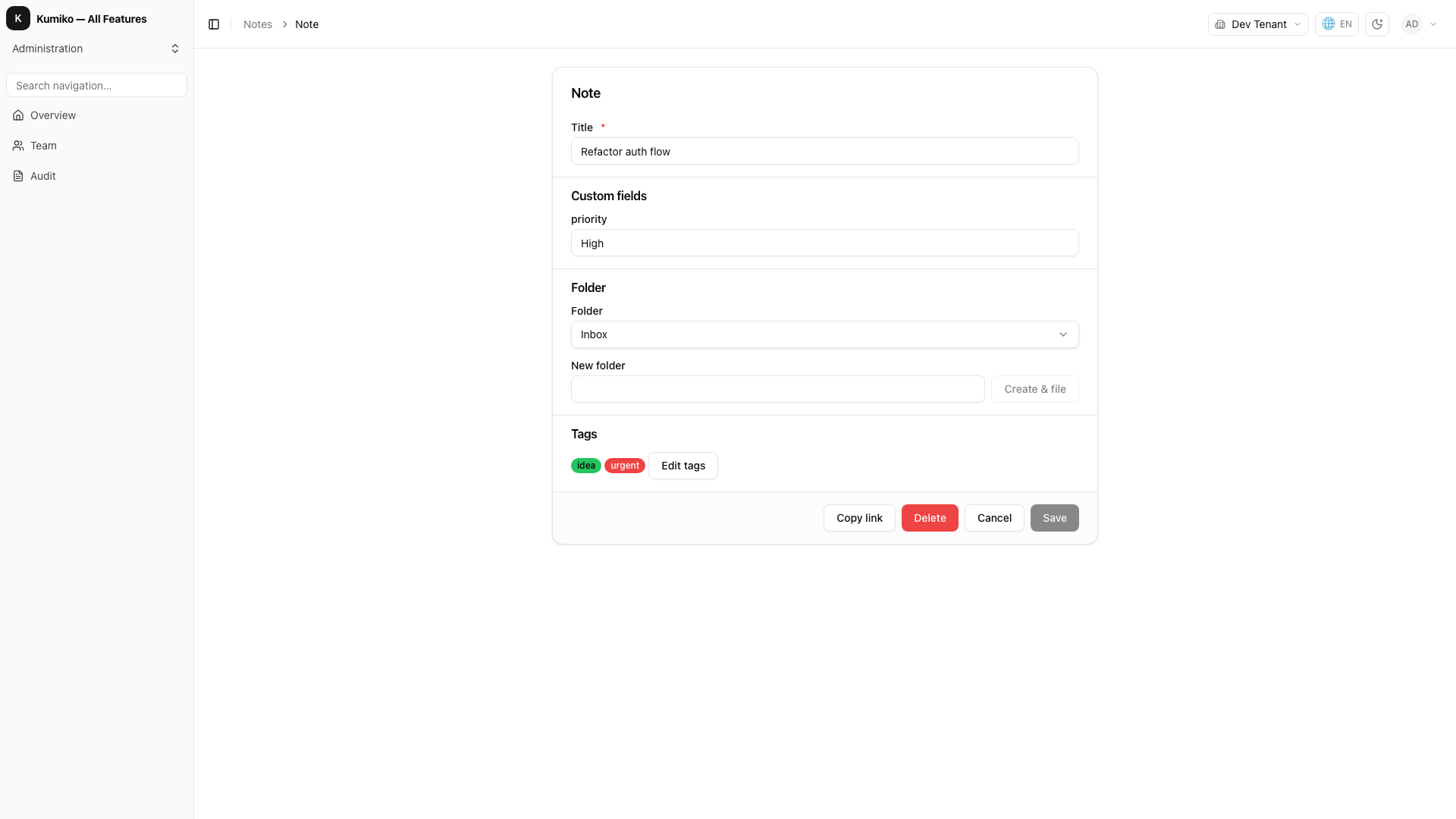
How it fits
Section titled “How it fits”The write commands this feature provides (Provides).
flowchart TB
  n_custom_fields["custom-fields"]
  subgraph how_provides["Provides"]
    n_cmd_custom_fields_write_clear_custom_field(["clear-custom-field"])
    n_cmd_custom_fields_write_define_system_field(["define-system-field"])
    n_cmd_custom_fields_write_define_tenant_field(["define-tenant-field"])
    n_cmd_custom_fields_write_delete_system_field(["delete-system-field"])
    n_cmd_custom_fields_write_delete_tenant_field(["delete-tenant-field"])
    n_cmd_custom_fields_write_set_custom_field(["set-custom-field"])
    n_cmd_more(["+1 more"])
  end
  n_custom_fields --> n_cmd_custom_fields_write_clear_custom_field
  n_custom_fields --> n_cmd_custom_fields_write_define_system_field
  n_custom_fields --> n_cmd_custom_fields_write_define_tenant_field
  n_custom_fields --> n_cmd_custom_fields_write_delete_system_field
  n_custom_fields --> n_cmd_custom_fields_write_delete_tenant_field
  n_custom_fields --> n_cmd_custom_fields_write_set_custom_field
  n_custom_fields --> n_cmd_more
Provides — write commands this feature registers (dispatch them through the command bus):
custom-fields:write:clear-custom-fieldcustom-fields:write:define-system-fieldcustom-fields:write:define-tenant-fieldcustom-fields:write:delete-system-fieldcustom-fields:write:delete-tenant-fieldcustom-fields:write:set-custom-fieldcustom-fields:write:update-tenant-field
Getting started
Section titled “Getting started”Start with recipes-custom-fields-basic for a step-by-step walkthrough with runnable code and integration tests.
Dependencies
Section titled “Dependencies”- Requires: none
- Activation: always on (not toggleable)