Tables: what users can do
Every list screen in a Kumiko app (entityList, projectionList and
relatedList) can give its users a set of controls: which columns show, how
dense the rows are, which column stays put while the table scrolls, groups with
sums computed on the server, a selection with actions on all selected rows, and
an export to Excel. Each part is opt-in. A list without the table block renders
and behaves as before.
The first part of this guide shows what users see. The second part shows what an app developer writes to switch it on. The screenshots come from the task board in the framework styleguide, a list of twelve tasks with status, priority, due date, assignee and an estimate in hours.
Pick and order columns
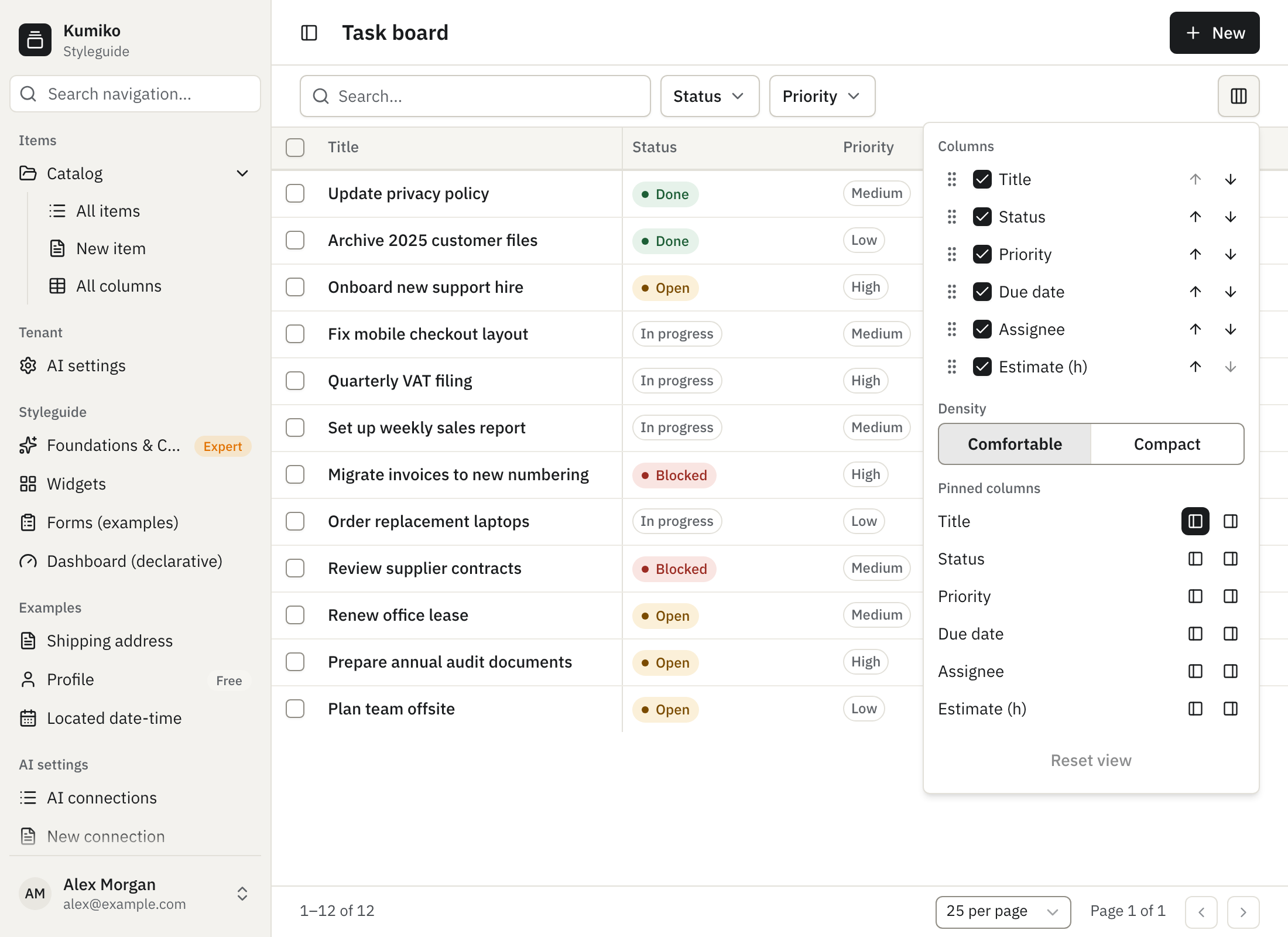
Section titled “Pick and order columns”The view menu opens from the column icon at the right end of the toolbar. It lists every column of the screen with a checkbox and arrows to move it up or down; the handle on the left drags a column to a new place.
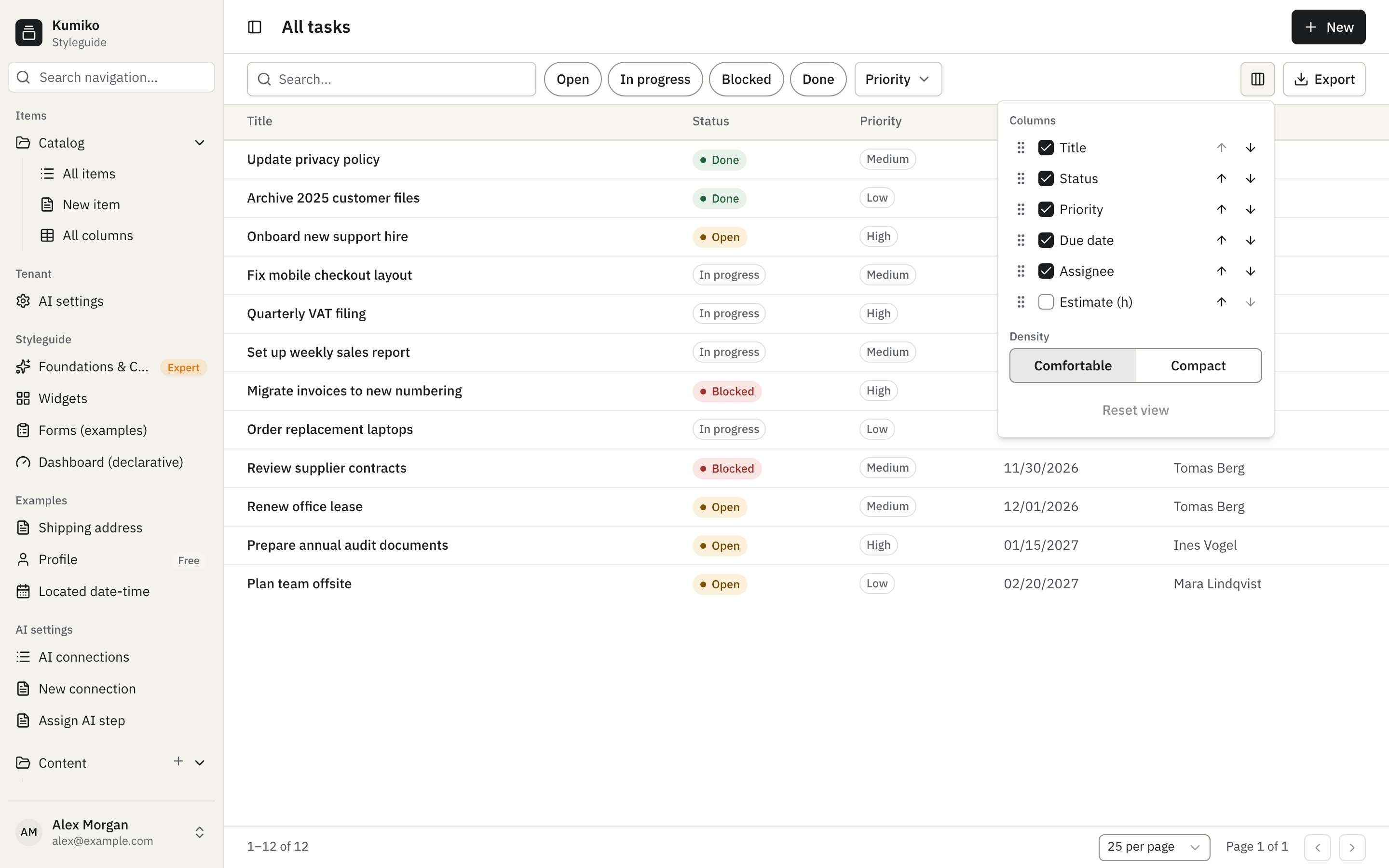
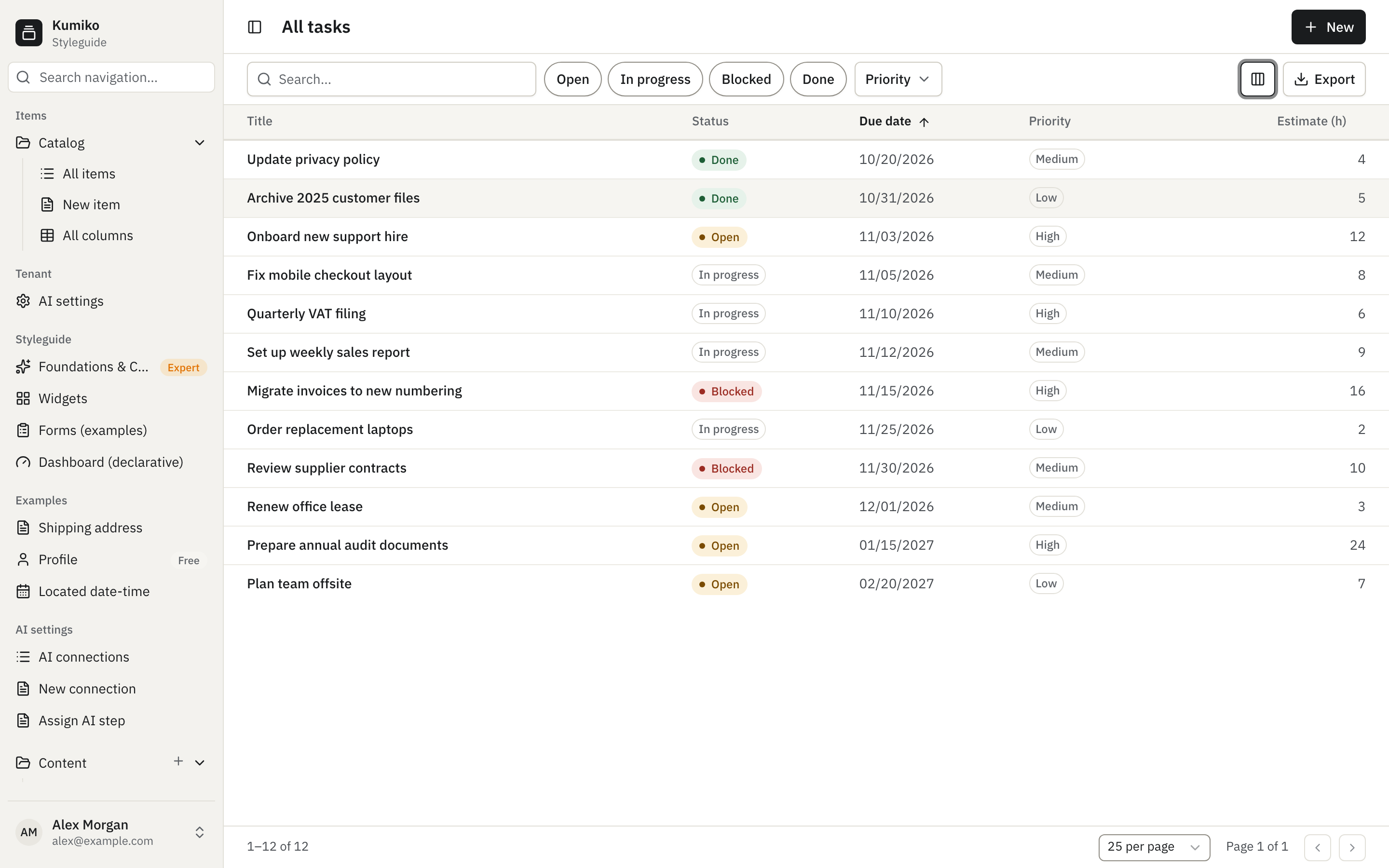
Unchecking a column removes it from the table right away, and the arrows change the order. A column the app starts as hidden is unchecked here and can be added back the same way.
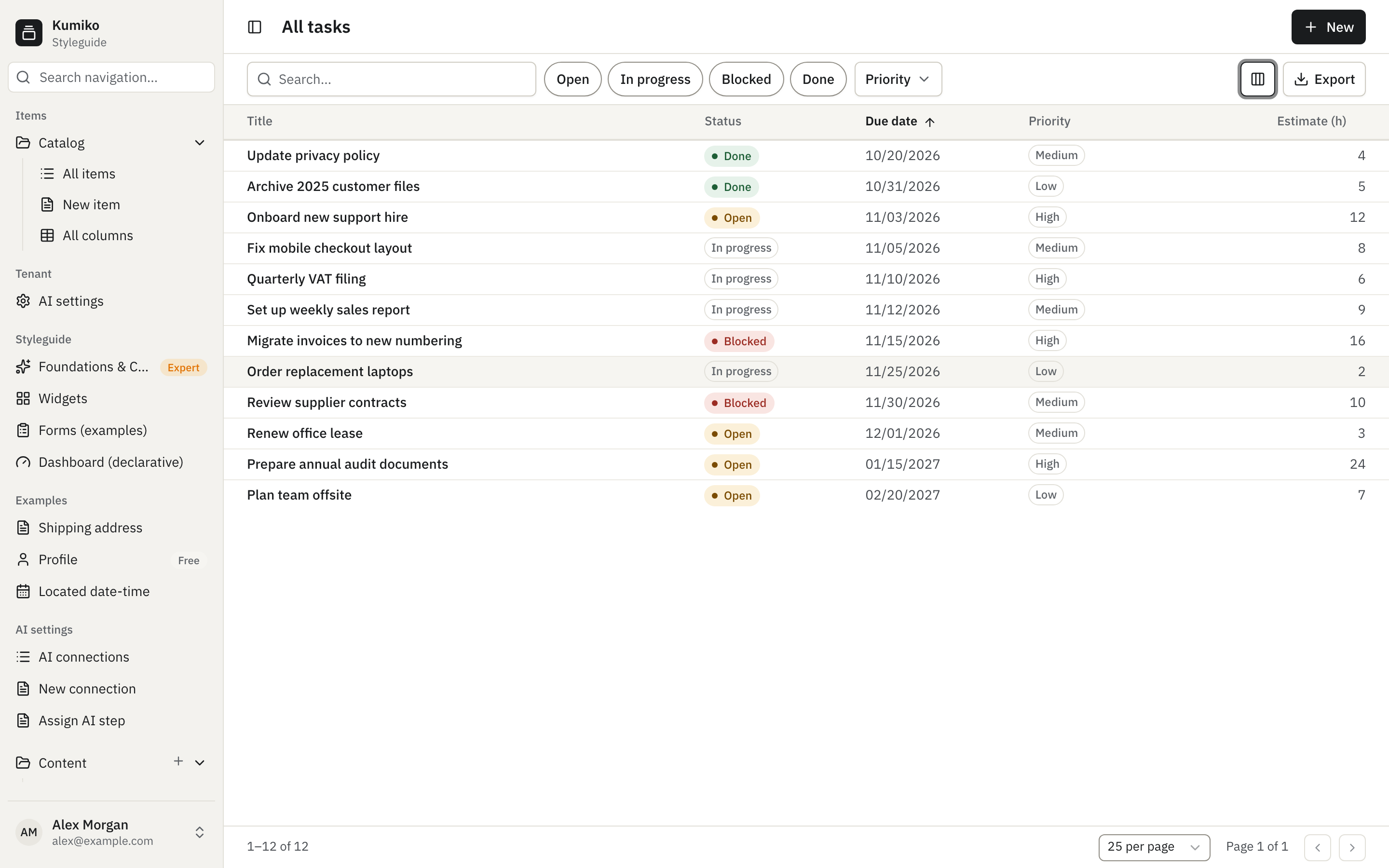
Density and the card layout
Section titled “Density and the card layout”Under “Density” the menu offers “Comfortable” and “Compact”. Compact shrinks the row height so that more rows fit on one screen. The app sets the default, the user’s choice sticks for the browser session.
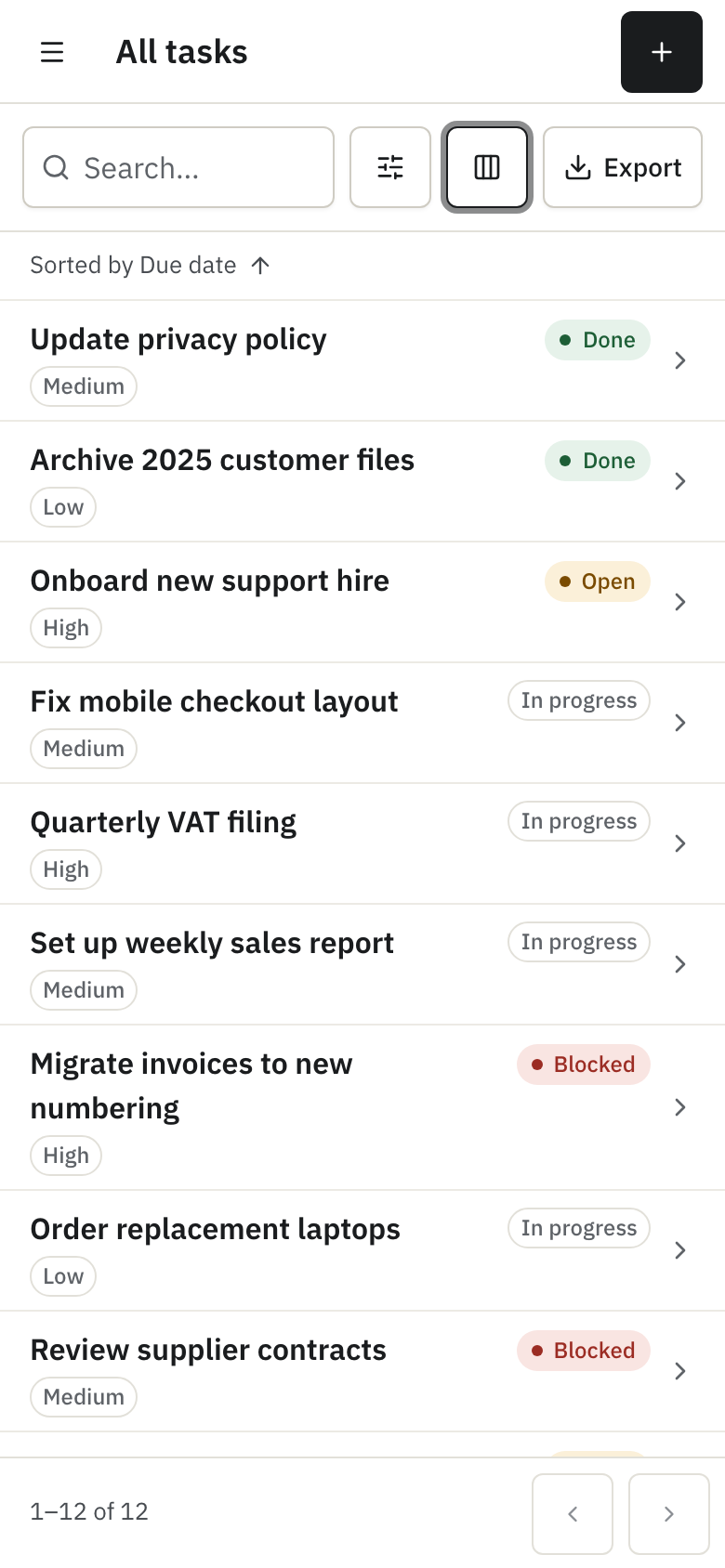
On a phone the same list turns into cards. Each card shows the title, the badges and a chevron into the record; the view menu and the export stay in the toolbar.
Pin columns, resize them, move with the keyboard
Section titled “Pin columns, resize them, move with the keyboard”With pinning on, the view menu gets a “Pinned columns” section with a left and a right button per column. A pinned column stays visible while the rest of the table scrolls sideways.
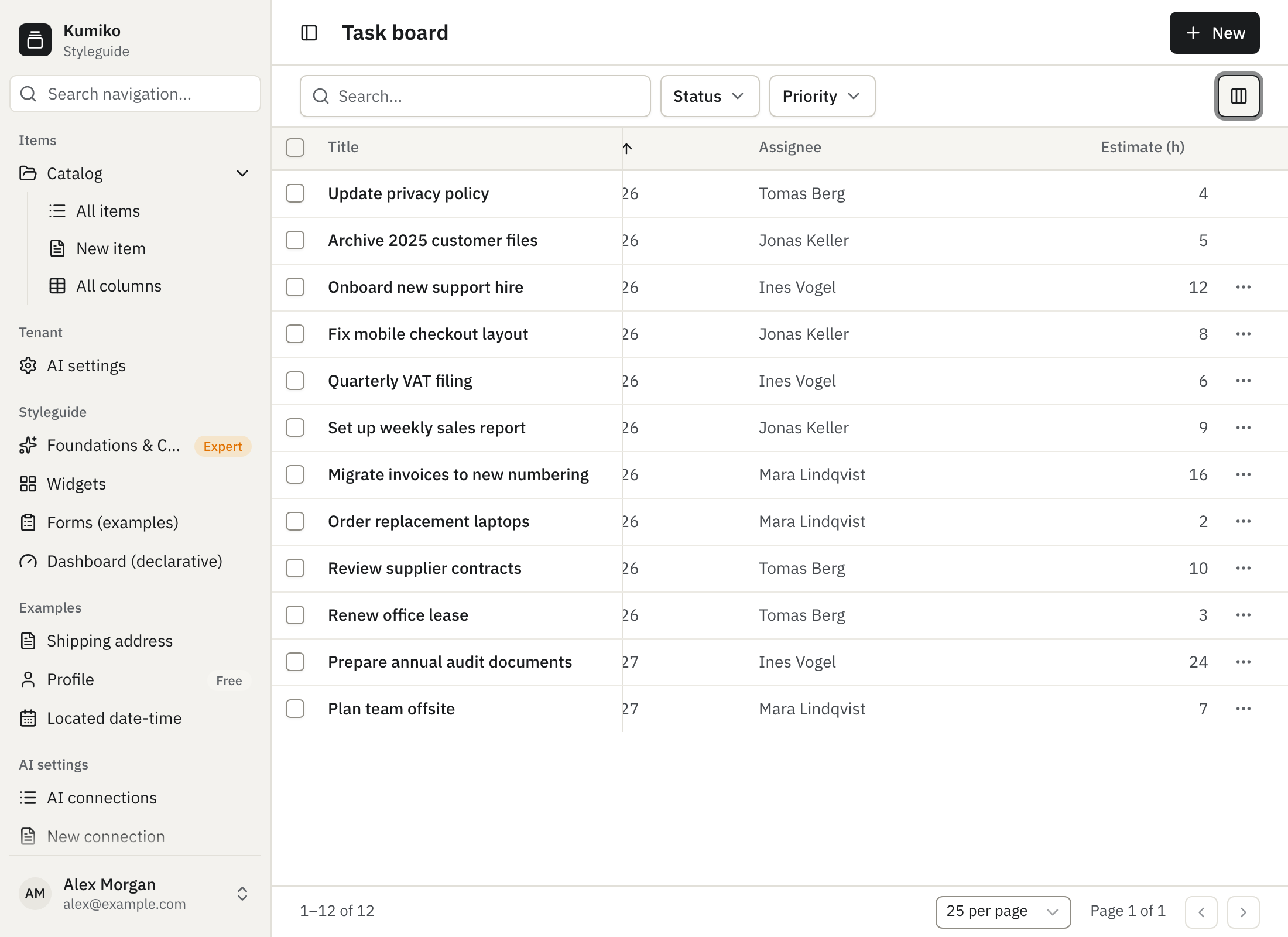
With resizing on, the border between two column headers can be dragged. The app gives each column a start width and a minimum; the user’s widths are kept for the session.
With keyboard navigation on, the table is one tab stop. The arrow keys move the focus from row to row, Home and End jump to the first and last row, Enter opens the focused row and Space toggles its checkbox when the list has bulk actions.
Filters that stay, and one Reset
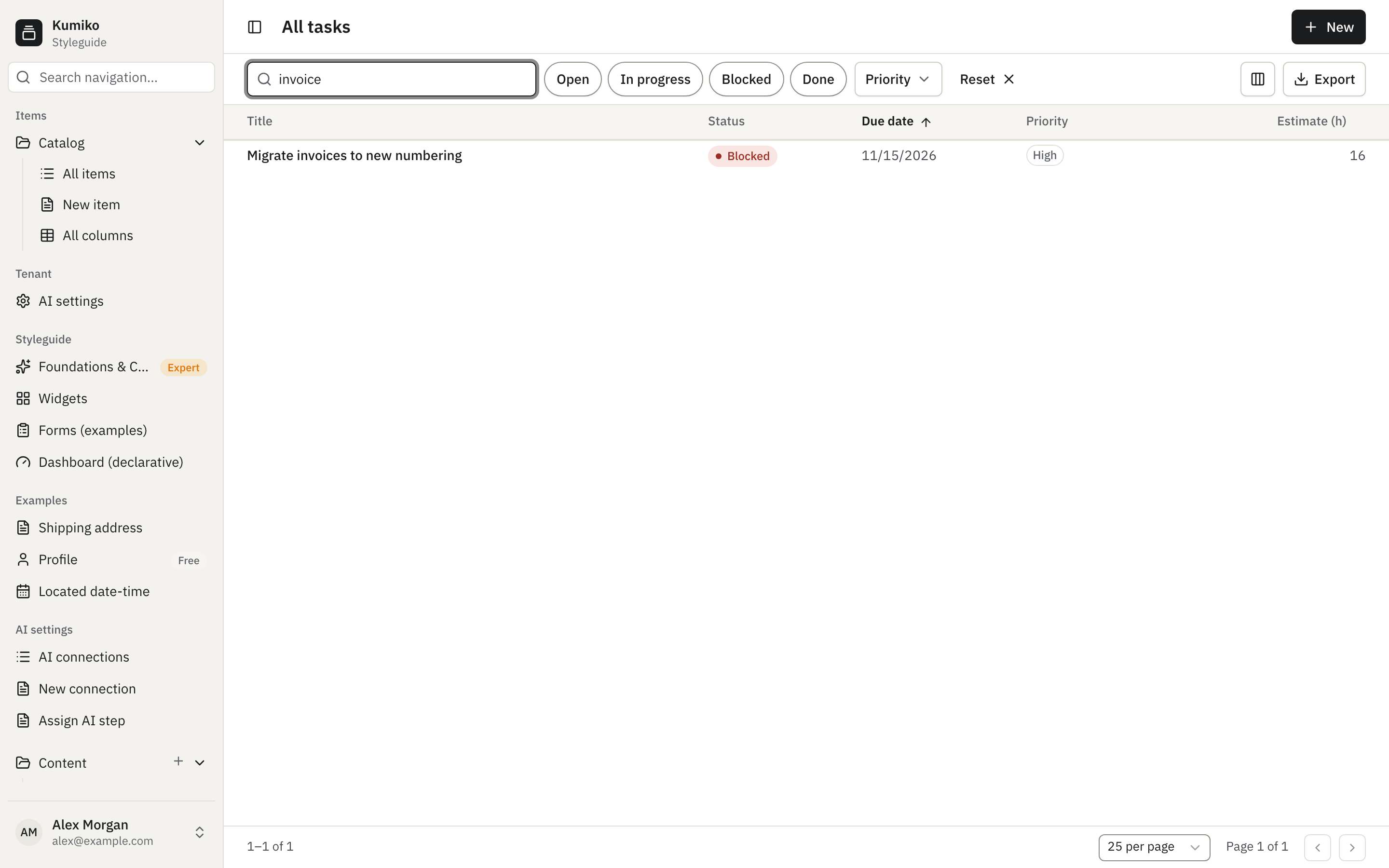
Section titled “Filters that stay, and one Reset”With rememberState on, the search text, sort, page size, facets and date range
of a list survive leaving and re-entering it within the browser session. A user
who opens a record from a filtered list and comes back finds the same filter.
The memory is per list, per user and per tenant, and it is cleared on logout. A
link that carries its own parameters still wins over the remembered state, so a
shared link shows what the sender saw.
With resetAll on, a “Reset” button appears in the toolbar as soon as anything
differs from the defaults: search, facets, sort, page size, columns, density or
pinned columns. One click puts everything back.
Groups with sums from the server
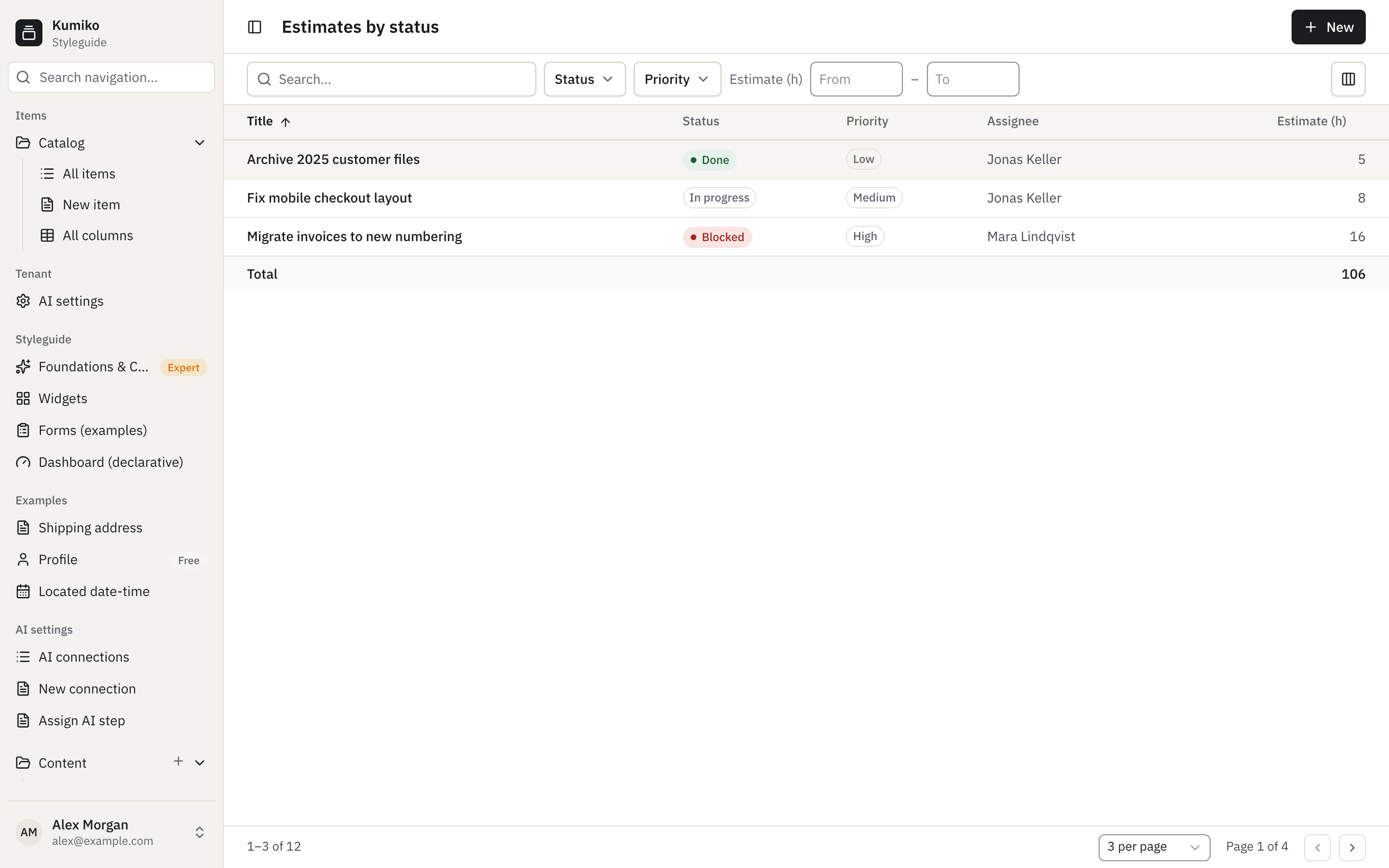
Section titled “Groups with sums from the server”With grouping on, the list is split into groups by one field, in this screenshot by status. Each group header shows the number of rows and the sums the app has configured, here the estimate in hours. These numbers come from one aggregate query over the whole filtered list on the server, so they are right even when a group shows only its first rows, and the “Total” row at the bottom covers the whole result set.
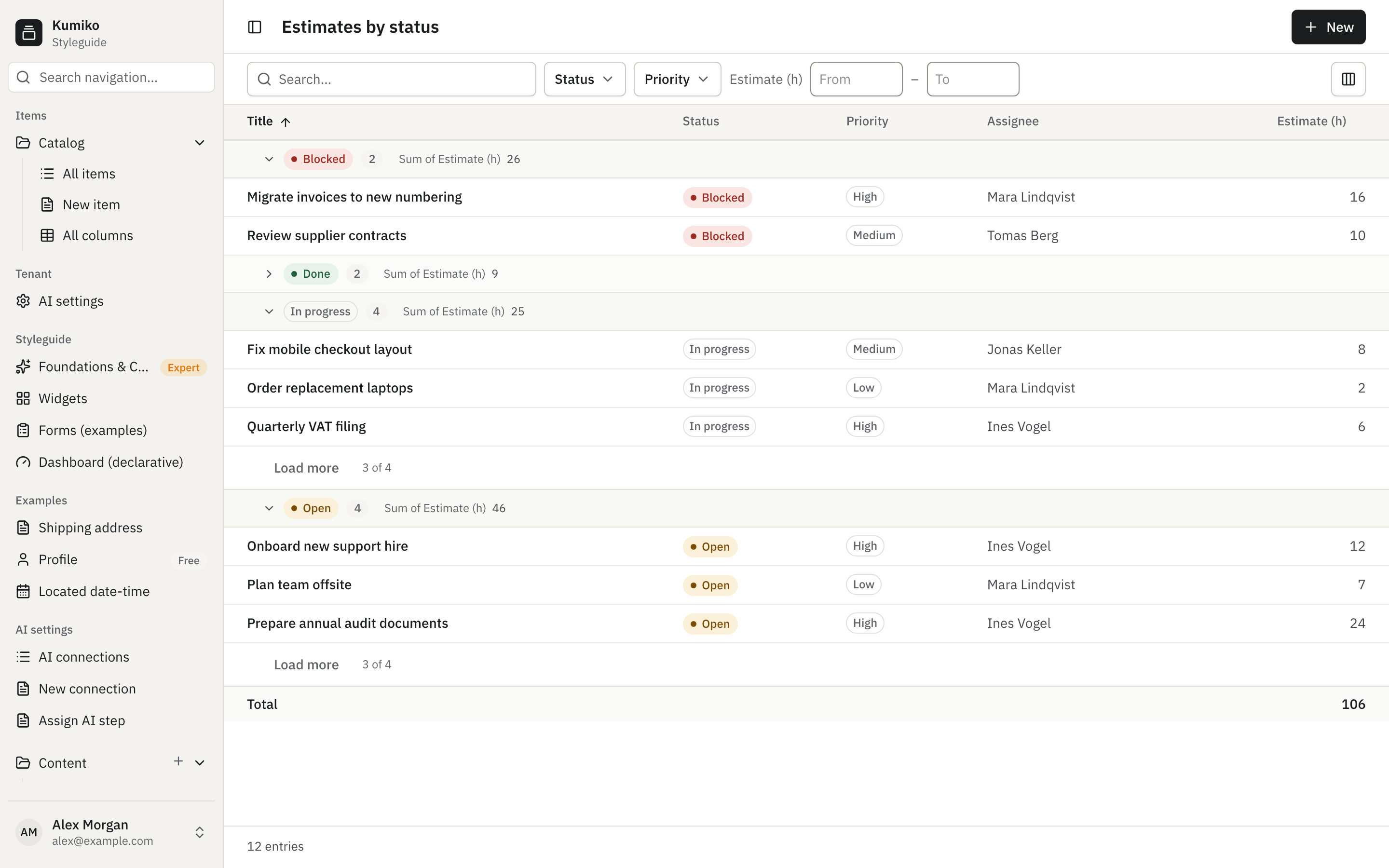
A group starts collapsed when the app says so (here “Done”) and loads nothing until it is opened. Each open group loads its first page; “Load more” fetches the next rows of that group alone. When the app allows it, the view menu gets a “Group by” section where the user picks another field or “None”. A list with more than 200 groups shows the first 200 and says so.
Totals and number ranges
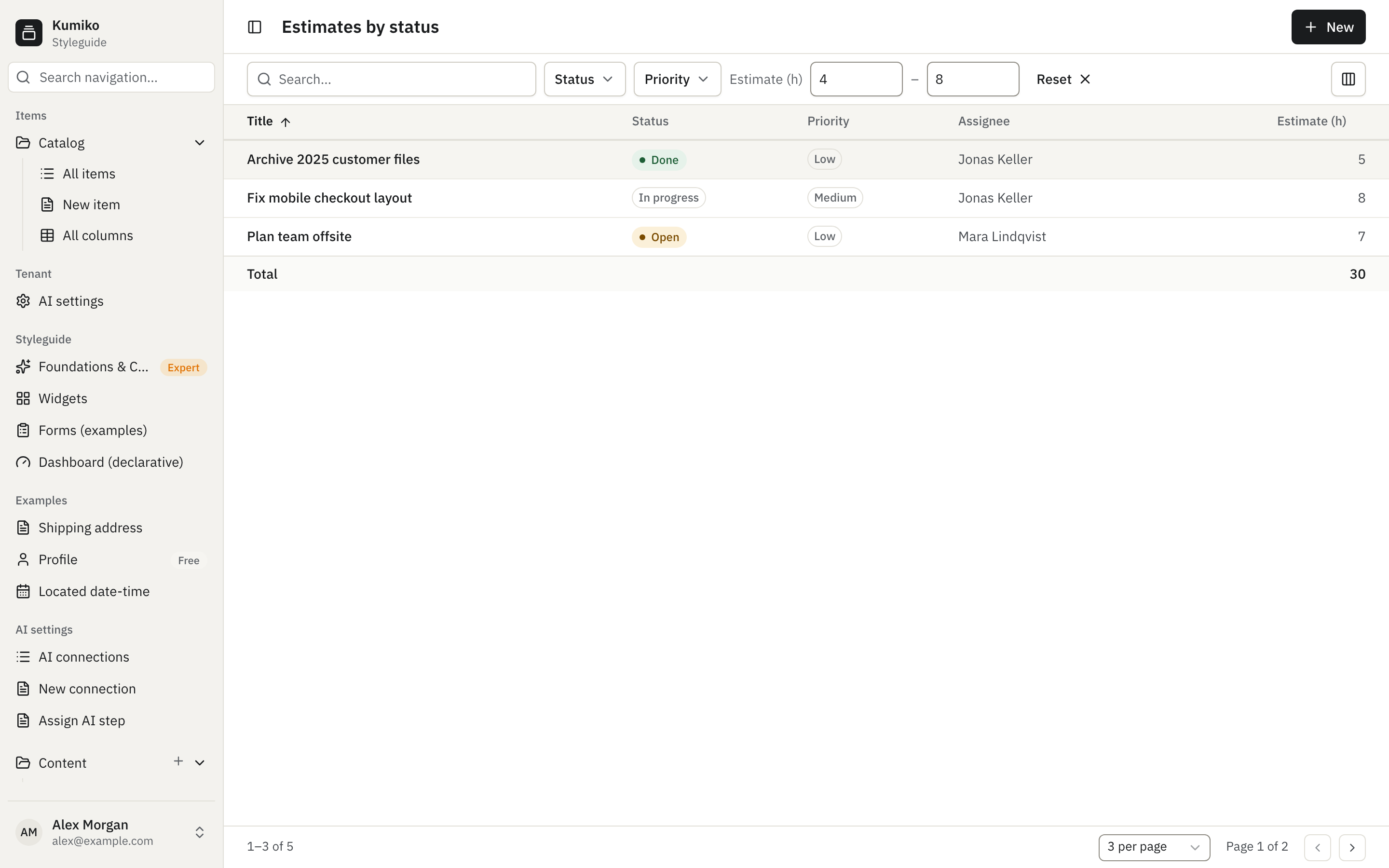
Section titled “Totals and number ranges”A list can show a total row over the filtered list without grouping, for example the sum of all estimates. Changing a filter changes the total; paging does not, because the sum is computed on the server over all matching rows.
For a number or money field the app can offer a range facet: a from and a to input next to the other facets. The range is part of the URL like any other facet, so it can be shared, and it is remembered with the rest of the list state.
Select rows and run an action on all of them
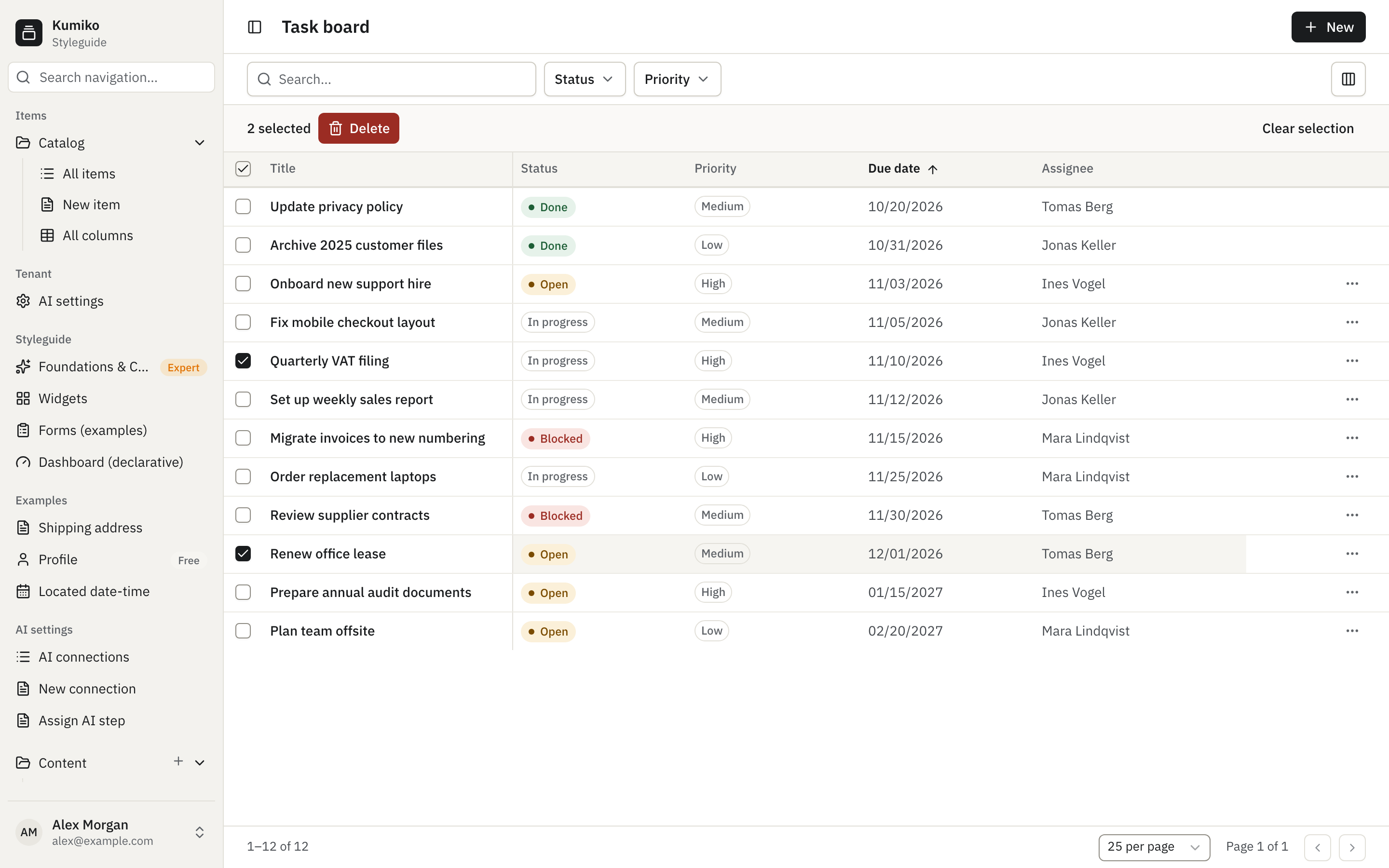
Section titled “Select rows and run an action on all of them”With bulk actions on, every row gets a checkbox and the header gets one for the loaded rows of the page. A bar above the table shows how many rows are selected, one button per action and “Clear selection”. The selection covers at most 100 rows of the current page; there is no “select everything that matches”.
A destructive action, or one with a confirmation, asks once for the whole selection. The framework then runs the single-row action once per selected row, four at a time, so each row goes through the same access checks, hooks and audit trail as a click on that row alone. “Cancel” stops new rows, running ones finish. Afterwards a banner shows how many succeeded, failed, were skipped (rows the action does not apply to, such as a done task for “Delete”) or were not run. Failed rows stay selected for a retry, and the list reloads.
Export to Excel
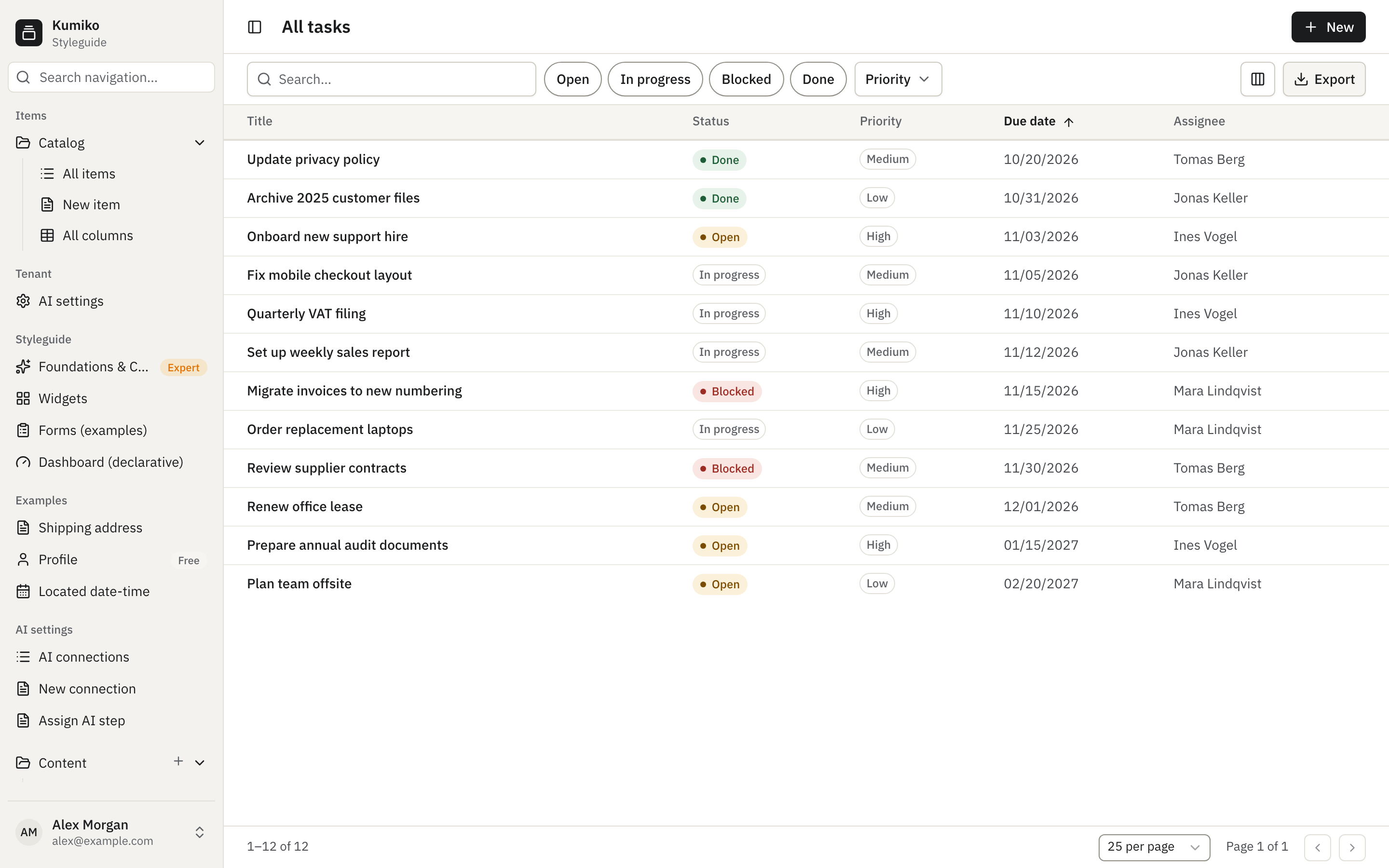
Section titled “Export to Excel”With export on, an “Export” button sits next to the view menu. It downloads the
whole filtered list as an .xlsx file, not only the visible page, with the
columns of the screen in their configured order and reference columns resolved
to their labels. Dates and times are written in the browser’s time zone as plain
values. Fields that are encrypted, marked sensitive or write-only, and fields the
user may not read, are left out. The default limit is 10000 rows; the app can
set another limit of up to 100000 rows. A list above the limit is refused with
a hint to narrow the filter rather than cut off.
Switch it on
Section titled “Switch it on”Everything above hangs on the table block of a list screen and on
bulkActions. Each key is independent. The boot validator rejects a block that
does not fit the screen, for example a hidden column without the column picker,
a pinned column without pinning, a width without resizing or a bulk action
that points at a navigate row action.
| Key | What the user gets |
|---|---|
rememberState | Search, sort, page size, facets and date range survive leaving the list within the browser session. |
resetAll | One “Reset” button for everything that differs from the defaults. |
columnPicker | Hide, show and reorder columns in the view menu; hidden: true on a column starts it hidden. |
density | The default row density; userChoice: true adds the switch. |
pinning | Pin columns left or right; pinned: "left" on a column starts it pinned. |
resizing | Drag column borders; width and minWidth on a column are start values in px. |
keyboardNavigation | Arrow keys between rows, Enter opens, Space selects. |
export | The Export button; maxRows replaces the default limit of 10000 rows, up to 100000. |
grouping | Groups by field; collapsedWhen starts one value collapsed; userChoice and fields open the “Group by” menu. |
totals | A footer row with sum, avg, count, min or max per field. |
The recipe below sets all of them on an entity list, adds a range facet, a bulk
delete, and a projection list over a hand-written query that keeps grouping and
totals by accepting aggregate and answering it with answerListAggregate:
import {  answerListAggregate,  buildEntityTable,  createEventStoreExecutor,} from "@cosmicdrift/kumiko-framework/db";import {  createDateField,  createEntity,  createNumberField,  createSelectField,  createTextField,  defineFeature,  entityListSchema,  type FeatureDefinition,} from "@cosmicdrift/kumiko-framework/engine";import type { ListTableOptions } from "@cosmicdrift/kumiko-framework/ui-types";import { z } from "zod";
export const taskEntity = createEntity({  table: "read_list_table_tasks",  fields: {    title: createTextField({      personal: false,      reason: "is_business_data",      required: true,      searchable: true,      sortable: true,    }),    status: createSelectField({      options: ["open", "inProgress", "blocked", "done"] as const,      default: "open",      sortable: true,      filterable: true,    }),    priority: createSelectField({      options: ["low", "medium", "high"] as const,      default: "medium",      sortable: true,      filterable: true,    }),    dueDate: createDateField({ sortable: true }),    assignee: createTextField({ personal: false, reason: "is_business_data", sortable: true }),    estimateHours: createNumberField({ sortable: true, filterable: true }),  },});
export const openAccess = {  access: {    openToAll: { reason: "recipe: any signed-in user manages the tasks; no per-user ownership" },  },} as const;
// Overridable so a test can feed the boot validator a block that must be rejected.export function createTaskBoardFeature(  taskTable: ListTableOptions = {    rememberState: true,    resetAll: true,    columnPicker: true,    density: { default: "comfortable", userChoice: true },    pinning: true,    resizing: true,    keyboardNavigation: true,    export: { xlsx: true, maxRows: 5000 },    grouping: { field: "status", collapsedWhen: "done", userChoice: true, fields: ["priority"] },    totals: [{ field: "estimateHours", kind: "sum" }],  },): FeatureDefinition {  return defineFeature("task-board", (r) => {    r.crud("task", taskEntity, { write: openAccess, read: openAccess });
    r.screen({      id: "task-list",      type: "entityList",      entity: "task",      columns: [        // Starts pinned left; width and minWidth are start values for resizing.        { field: "title", pinned: "left", width: 280, minWidth: 160 },        "status",        "priority",        { field: "dueDate", hideOnNarrow: true },        { field: "assignee", hideOnNarrow: true },        // Starts hidden; the user can add it back in the view menu.        { field: "estimateHours", hidden: true, hideOnNarrow: true },      ],      facets: { status: { display: "chips" }, priority: {}, estimateHours: { display: "range" } },      defaultSort: { field: "dueDate", dir: "asc" },      searchable: true,      table: taskTable,      rowActions: [        { kind: "navigate", id: "open", label: "Open", screen: "task-edit", rowClick: true },        {          kind: "writeHandler",          id: "delete",          label: "Delete",          handler: "task-board:write:task:delete",          style: "danger",          // Done tasks are skipped by the bulk run and counted as skipped.          visible: { field: "status", ne: "done" },        },      ],      // Row checkboxes and a selection bar; each selected row gets its own delete write.      bulkActions: [{ id: "delete", rowAction: "delete" }],      access: openAccess.access,    });
    r.screen({      id: "task-edit",      type: "entityEdit",      entity: "task",      dormant: true,      listScreenId: "task-list",      layout: {        sections: [          {            columns: 2,            fields: ["title", "assignee", "status", "priority", "dueDate", "estimateHours"],          },        ],      },    });
    // The same block works on a list over any query.    r.queryHandler({      name: "task:overdue",      schema: z.object({}),      handler: async () => ({        rows: [{ id: "t1", title: "Quarterly VAT filing", assignee: "Ines", daysLate: 3 }],        nextCursor: null,      }),      access: openAccess.access,      outputSchema: z.object({        rows: z.array(          z.object({            id: z.string(),            title: z.string(),            assignee: z.string(),            daysLate: z.number(),          }),        ),        nextCursor: z.string().nullable(),      }),    });
    r.screen({      id: "task-overdue",      type: "projectionList",      query: "task-board:query:task:overdue",      columns: ["title", "assignee", "daysLate"],      table: { rememberState: true, density: { userChoice: true } },    });
    // A hand-written list query keeps grouping and totals when it accepts    // `aggregate` (entityListSchema carries it) and answers it on the server.    const taskExecutor = createEventStoreExecutor(      buildEntityTable("task", taskEntity),      taskEntity,      {        entityName: "task",      },    );    r.queryHandler({      name: "task:workload",      schema: entityListSchema,      handler: async (query, ctx) => {        const parentVisibility = { entities: ctx.registry.getAllEntities() };        const listPayload = query.payload;        if (listPayload.aggregate !== undefined) {          return answerListAggregate(            taskExecutor,            { ...listPayload, aggregate: listPayload.aggregate },            query.user,            ctx.db,            { parentVisibility },            {              entity: taskEntity,              resolveEntity: (name) => ctx.registry.getEntity(name),              viewer: { user: query.user, parentVisibility },            },          );        }        return taskExecutor.list(listPayload, query.user, ctx.db, { parentVisibility });      },      access: openAccess.access,    });
    r.screen({      id: "task-workload",      type: "projectionList",      query: "task-board:query:task:workload",      columns: ["title", "assignee", "status", "estimateHours"],      defaultSort: { field: "title", dir: "asc" },      table: {        grouping: { field: "assignee" },        totals: [{ field: "estimateHours", kind: "sum" }],      },    });
    r.nav({ id: "tasks", label: "task-board:nav.tasks", icon: "list", order: 10 });    r.nav({      id: "task-list",      label: "task-board:nav.list",      parent: "task-board:nav:tasks",      screen: "task-board:screen:task-list",      order: 10,    });    r.nav({      id: "task-overdue",      label: "task-board:nav.overdue",      parent: "task-board:nav:tasks",      screen: "task-board:screen:task-overdue",      order: 20,    });    r.nav({      id: "task-workload",      label: "task-board:nav.workload",      parent: "task-board:nav:tasks",      screen: "task-board:screen:task-workload",      order: 30,    });  });}
The bundled lists
Section titled “The bundled lists”The bundled features (users, tenants, jobs, sessions, audit and the others)
ship their lists without a table block. bundledLists in kumiko.config.ts
sets one block for all of them, so the user list gets the column picker and the
export without the app redefining the screen. The same value goes into the run
options of the bin files, so kumiko check and the running app see the same
screens. grouping and totals are not allowed there, because they depend on
the fields of one list.
export default defineAppConfig({ features: [...APP_FEATURES], bundledLists: { table: { rememberState: true, resetAll: true, columnPicker: true, density: { userChoice: true }, pinning: true, export: { xlsx: true }, }, pinFirstColumn: true, },});A feature package opts its lists in with
r.adoptsBundledLists(); a feature of the
app itself never does, so its own screens stay as written. A table block on a
bundled screen wins per key over the shared one.
Related
Section titled “Related”- Recipe: list table options
r.adoptsBundledLists()- UI widgets
- Renderer widget options, every option a list or form widget accepts
- Design mail and PDF templates