System check: live probes for mail, files, mailboxes and more
The config checklist of readiness:query:status tells an admin which settings are still empty. It cannot tell whether the SMTP password is right, the bucket accepts writes or the PDF service answers. The system check does that: every feature registers live probes with r.probe, an admin starts a run, and a job runs the probes and stores the results.
Use it when a tenant admin sets up mail, storage or AI on their own and needs to know “does it work now?” without asking support. Operators use the same screen to check the platform services.
Mount the screen
Section titled “Mount the screen”import { createReadinessFeature } from "@cosmicdrift/kumiko-bundled-features/readiness";
createReadinessFeature({ nav: { order: 90 } });Without nav the feature still answers its queries and runs probes, but the screen has no sidebar entry; the app links to it itself. In a workspace app pass nav.workspaces, because a nav entry belongs only to the workspaces it names.
Write a probe
Section titled “Write a probe”A probe is a function that throws on failure and returns ok or skipped otherwise. All texts are i18n keys. The PDF client registers this one:
import { ProbeFailure, type ProbeVerdict } from "@cosmicdrift/kumiko-framework/engine";
r.probe({ name: "pdf-service", scope: "system", cost: "free", area: PDF_PROBE_KEYS.area, label: PDF_PROBE_KEYS.label, run: async (ctx): Promise<ProbeVerdict> => { const status = await probePuppeteerService(createFallbackLogger("renderer-puppeteer-client", ctx.obs.log)); if (!status.available) throw new ProbeFailure({ key: PDF_PROBE_KEYS.unavailable }); return { status: "ok", message: { key: PDF_PROBE_KEYS.available } }; },});| Option | Meaning |
|---|---|
scope | "tenant" checks something the tenant configured; "system" checks a platform service and runs only when a SystemAdmin starts the run |
cost | "paid" probes run only when the admin asks for them, because they spend money (an AI call, for example) |
area, label | columns of the results table |
targets | optional: one result row per target, for example one per mailbox; each target has an id, a label and optionally an ownerUserId |
fixScreen | screen linked from a failed row, so the admin lands where the setting lives |
timeoutMs | default 10,000; a probe that runs longer fails with a timeout message |
The probe context has db, registry, obs, tz and services of the job, plus who started the run. It has no dispatch and no escape hatches, so a probe reads and checks but does not change data. Probe runs stay out of the tenant audit log.
What the admin sees
Section titled “What the admin sees”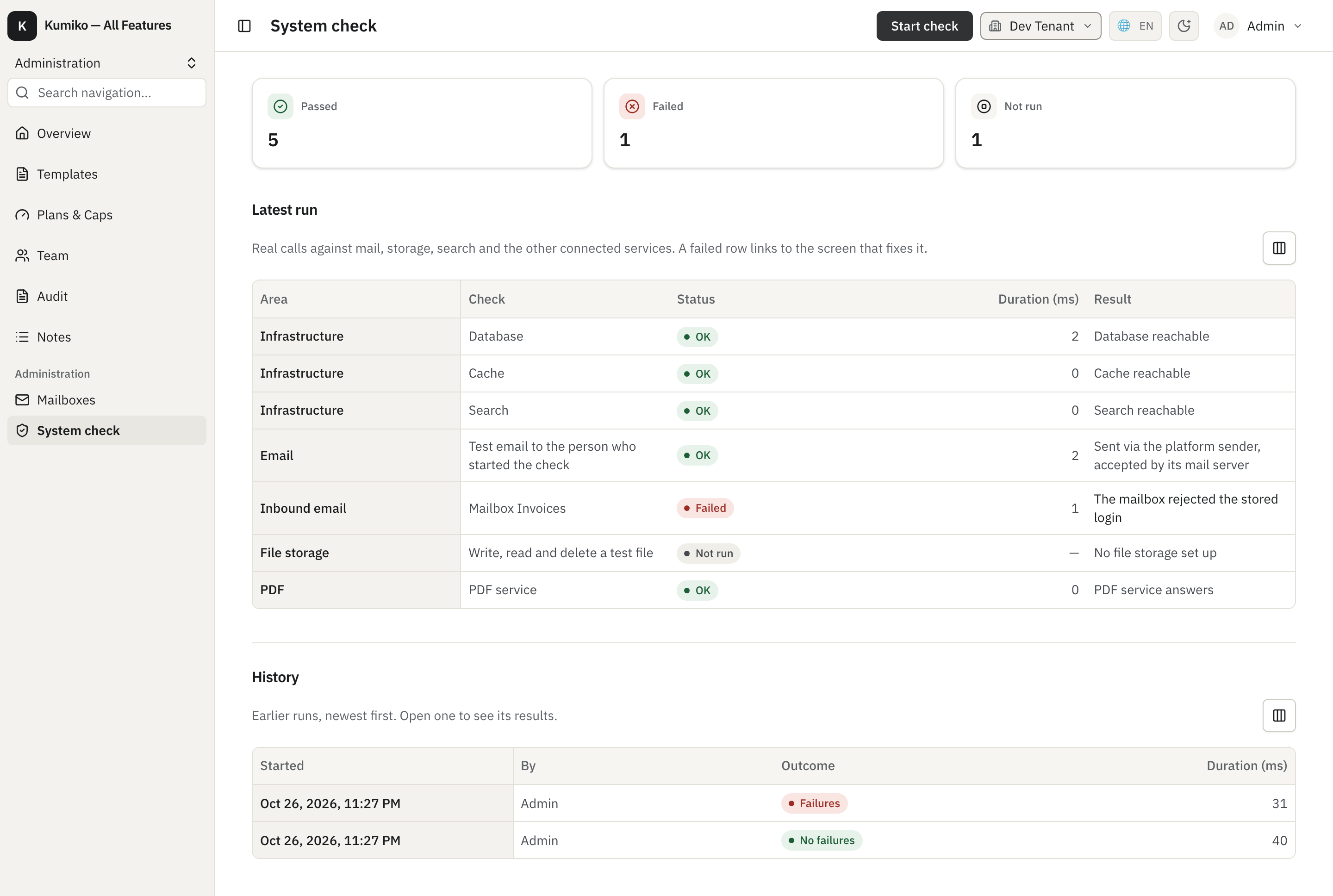
- KPI tiles count passed, failed and not run probes of the latest run.
- Each row has a tinted pill: green for passed, red for failed, grey for not run. A failed row says what went wrong (“The mailbox rejected the stored login”) and links to its
fixScreen. - A probe that did not run says why: “Only via “Test AI extraction”” for a paid probe, “Nothing to check” when the feature has no targets yet (no mailbox connected).
- System probe rows are visible only to SystemAdmins; a tenant admin sees the probes of their own tenant.
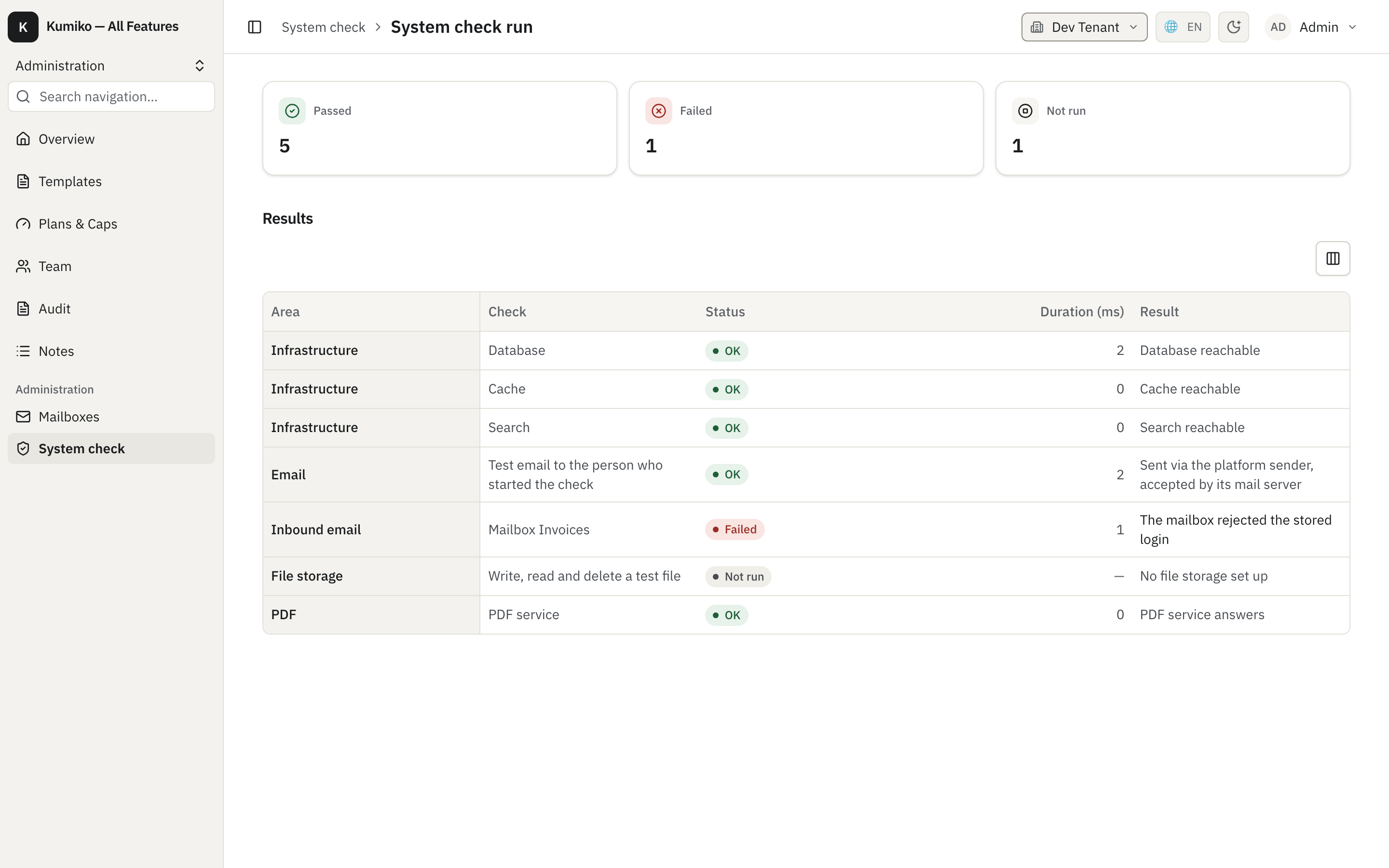
- The history lists earlier runs with their failure count. Opening a run shows its results:
Paid probes do not start with the normal run. When the app has one (the Enterprise AI extraction probe, for example), the header shows a second button next to “Start check” with the price, “Test AI extraction · about 1 cent”. It starts a run that includes the paid probes. The button sits inline in the header and not in the overflow menu, because it is the only way to test the AI extraction.
The mail probe sends a test mail to the admin who started the run. A tenant without its own SMTP settings is checked against the platform sender, so the probe reports whether mail leaves the system at all.
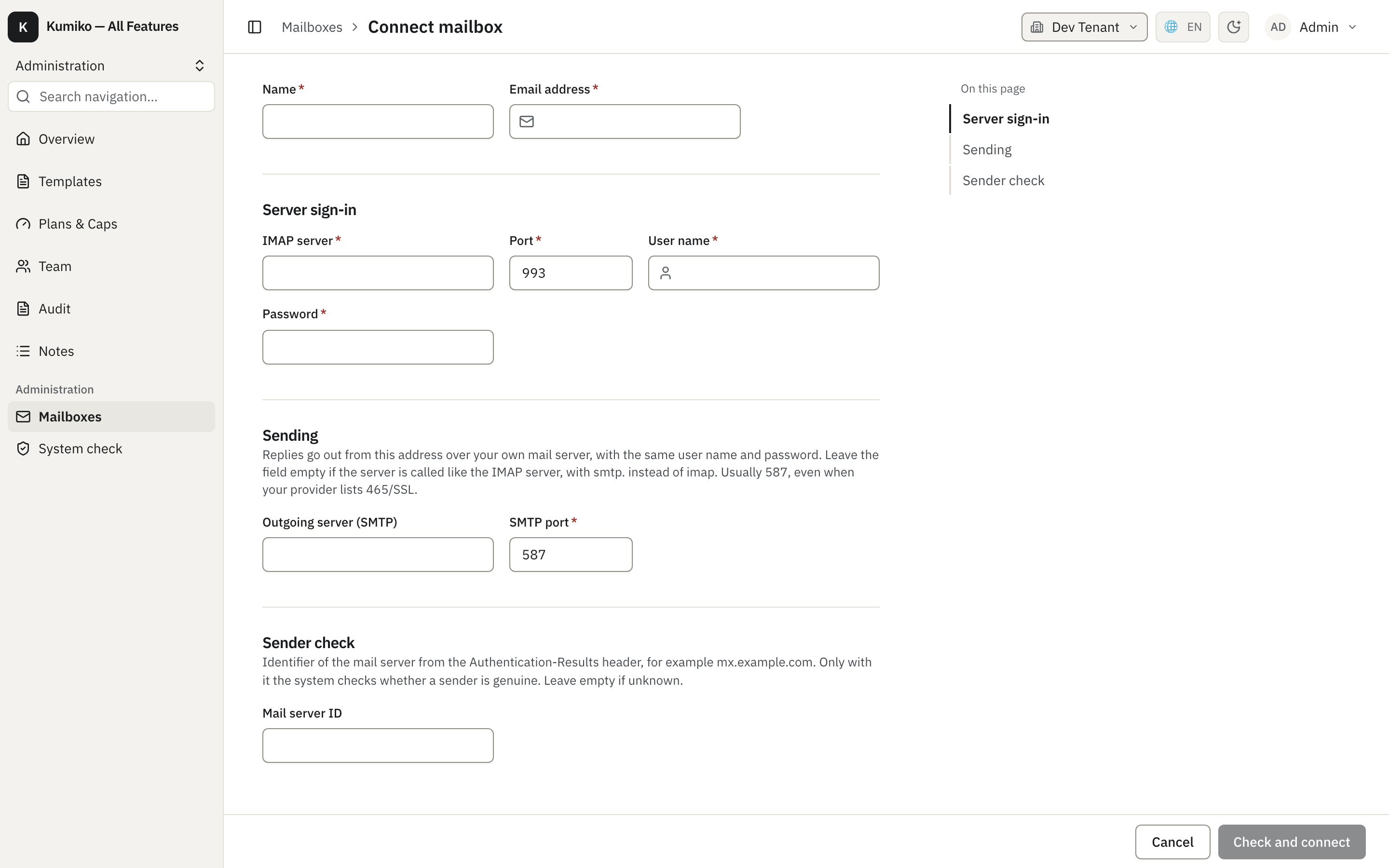
The mailbox probe uses targets (one row per connected mailbox) and links failures to the mailbox list. There the admin reconnects the mailbox with a new password; see Inbound mail:
Built-in probes
Section titled “Built-in probes”readiness brings probes for the database, the cache and the search index. Other features register their own when they are mounted: mail sending, file storage, connected mailboxes and the PDF service. The paid AI extraction probe comes from the Enterprise AI features. A probe of a feature that is not mounted does not exist, so an app never shows a row it cannot pass.