Call the API headlessly with a Personal Access Token
A logged-in user authenticates with a JWT from the browser login flow. A
headless client, CI, a cron script, a customer’s ERP, Zapier, has no
browser and no password prompt. A Personal Access Token (PAT) is the
long-lived, revocable credential for that case: a kpat_… bearer token
that reaches the same HTTP API (/api/write, /api/query, /api/command,
/api/batch) a JWT does, but restricted to the scopes you granted it.
It is not a raw event-store key and not an app secret (that’s the
secrets feature). A PAT authenticates a
person against your handler API.
Mount the feature
Section titled “Mount the feature”Add personal-access-tokens to APP_FEATURES and declare the scopes your
deployment offers. A scope is two axes, like a GitHub fine-grained token:
which domain × the level (read, or read + write). A domain may span
features.
import { createPersonalAccessTokensFeature } from "@cosmicdrift/kumiko-bundled-features/personal-access-tokens";
createPersonalAccessTokensFeature({  scopes: {    // domain key → the QN globs each level grants    pages: { label: "Pages", read: ["managed-pages:query:*"], write: ["managed-pages:write:*"] },    ledger: { label: "Ledger", read: ["ledger:query:*"], write: ["ledger:write:*"] },    // omit `write` for a read-only domain, the UI then offers only read    reports: { label: "Reports", read: ["audit:query:list"] },  },});
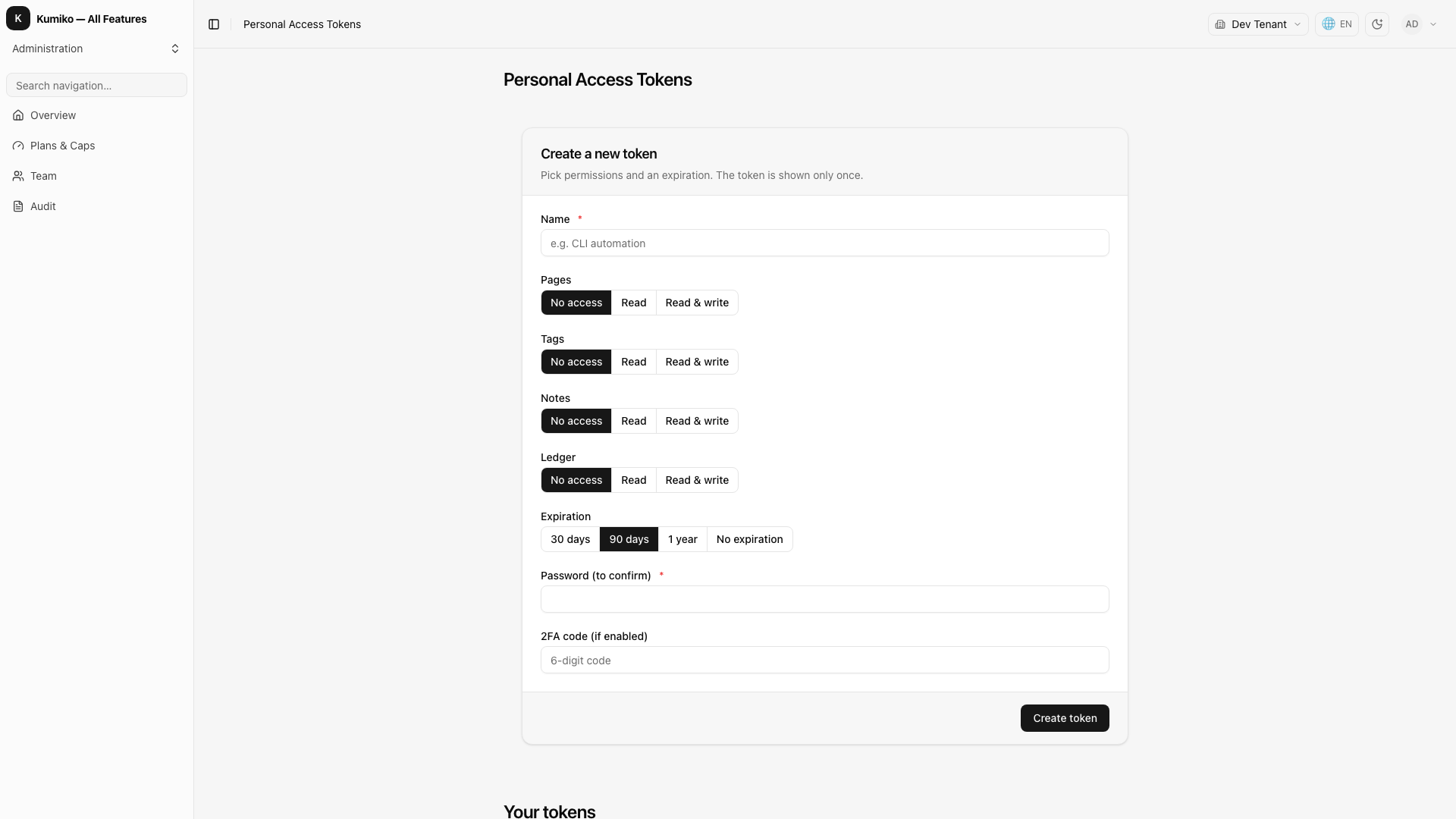
The management screen (list + create-with-one-time-reveal + revoke) ships declaratively with the feature, so there is no client registration. The only app-side step is placing it in your navigation:
r.nav({ id: "api-tokens", label: "Personal Access Tokens", screen: "personal-access-tokens:screen:api-tokens",});personal-access-tokens requires user and
tenant; no secret or extra env var is
needed (see Why no HMAC key).
Create a token
Section titled “Create a token”A user mints their own token through the API (or the mounted screen). The plaintext is returned once, store it immediately, it is never retrievable again.
curl -sX POST https://app.example.com/api/write \ -H "Authorization: Bearer $USER_JWT" \ -H "Content-Type: application/json" \ -d '{ "type": "personal-access-tokens:write:create", "payload": { "name": "CI deploy", "scopes": ["ledger:write", "pages:read"], "expiresInDays": 90 } }'{ "isSuccess": true, "data": { "id": "…", "token": "kpat_AbCd…", "prefix": "kpat_AbCd12" }}scopes are "<domain>:<level>" grants (level is read or write).
expiresInDays is optional; omit it for a non-expiring token. The server
validates each granted domain against the configured scope catalog.
Use the token
Section titled “Use the token”Send it as a bearer token to any of the four API routes. The middleware sees
the kpat_ prefix and resolves the PAT before jwt.verify.
curl -sX POST https://app.example.com/api/write \ -H "Authorization: Bearer kpat_AbCd…" \ -H "Content-Type: application/json" \ -d '{ "type": "ledger:write:post-transaction", "payload": { /* … */ } }'Scopes are fail-closed
Section titled “Scopes are fail-closed”The token’s granted scopes expand to a set of QN globs. A dispatch whose
type matches none of them is rejected before the handler runs:
{ "error": { "code": "access_denied", "message": "personal access token scope does not permit …" } }Fail-closed also means: if you drop a domain from the app config after a token was minted, that token silently loses the capability, it never fails open. A JWT/cookie request is unaffected by scopes (it is bounded only by roles).
Revoke a token
Section titled “Revoke a token”curl -sX POST https://app.example.com/api/write \ -H "Authorization: Bearer $USER_JWT" \ -H "Content-Type: application/json" \ -d '{ "type": "personal-access-tokens:write:revoke", "payload": { "id": "…" } }'Revocation is effective on the next request, the resolver checks
revokedAt (and expiresAt) on every call. List your own tokens (metadata
only, never the hash) with personal-access-tokens:query:mine; list the
scope catalog the app offers with personal-access-tokens:query:available-scopes.
What to know
Section titled “What to know”- Live roles. The resolver reads the user’s roles fresh from the DB on every request, a role downgrade or membership removal takes effect immediately, not at token expiry.
- Tenant-bound. A token is fixed to the tenant it was created in; there is no cross-tenant switch via header.
- Rate limited per token. The default is 120 requests per 60 seconds; tune
it with the feature’s
rateLimit: { maxRequests, windowMs }option. - Why no HMAC key. The secret is 32 random bytes, so only its SHA-256 is stored, no server-side hashing key to manage or rotate. High entropy makes a keyed hash (or a slow hash like argon2) unnecessary on the per-request auth path.
See also
Section titled “See also”personal-access-tokensreference, dependencies and activation.- Authentication concept, how bearer tokens fit the request lifecycle.
sessions, the analogous revocable-credential feature for interactive logins.- Commands and queries, what happens to payload fields the token sender doesn’t control.