admin-shell
Registers tenant-admin and platform-admin workspaces with provider nav into owner-feature screens (tenant:screen:members, audit:screen:audit-log, audit:screen:audit-log-all-tenants, tenant:screen:tenant-list, jobs:screen:job-runs, optional tier-engine:screen:tier-admin, optional cap-overview:screen:my-caps/cap-overview:screen:tenant-cap-list, optional document-designer template navs) and the two overview dashboards (the tenant one can be dropped with includeTenantOverview: false), built from the metrics list (metrics option, default DEFAULT_METRICS). Mount after user, tenant, audit, jobs, metrics and metrics-system; pass workspaceIds to match app URL conventions (e.g. Studio d/s, PublicStatus admin/sysadmin). Client: adminShellClient(), tenantClient(), auditClient(), jobsClient(), optional tierEngineClient().
Live preview
Section titled “Live preview”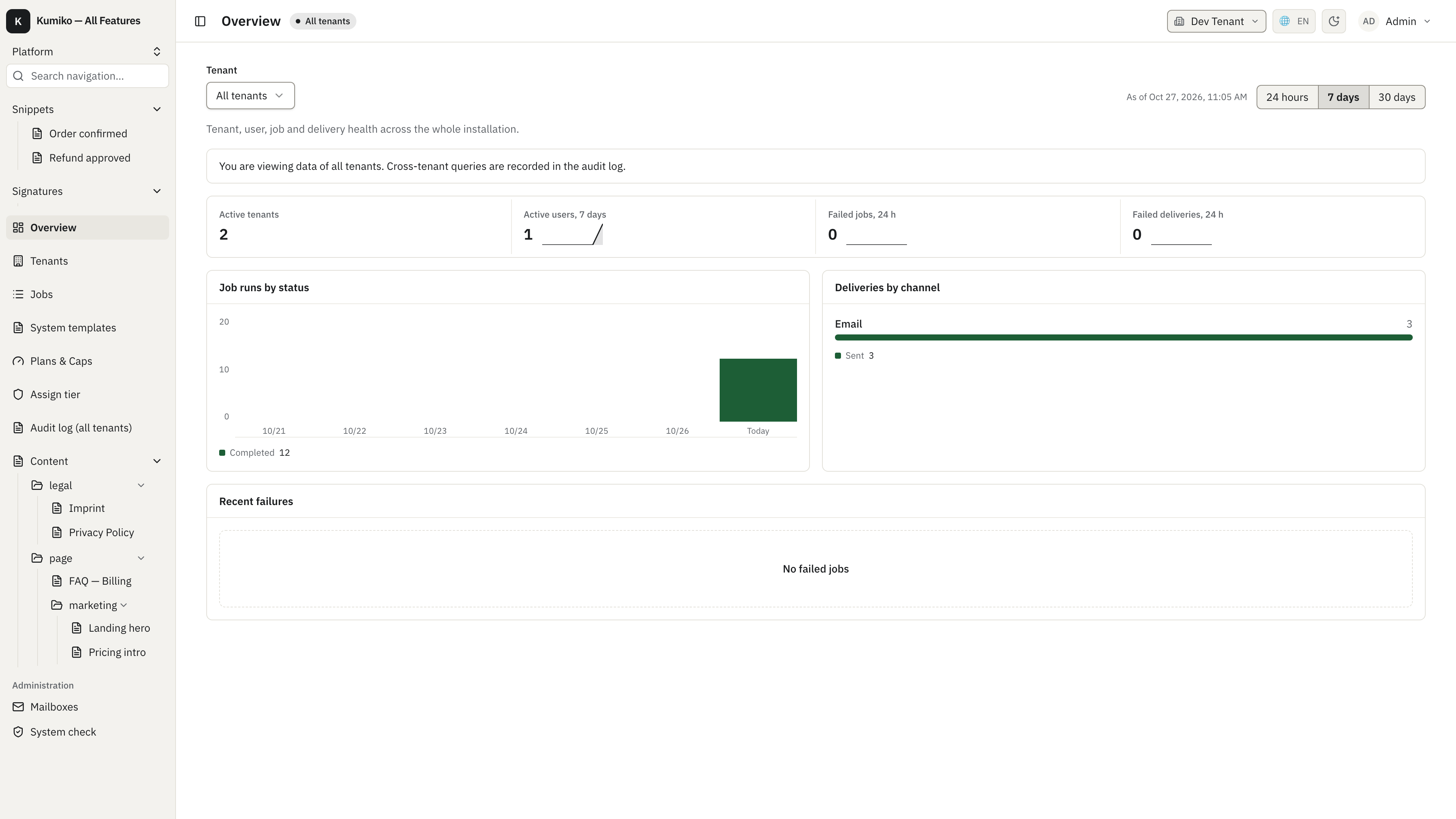
How it fits
Section titled “How it fits”What this feature needs to run (Requires).
flowchart TB
  n_admin_shell["admin-shell"]
  subgraph how_reqs["Requires"]
    n_user["user"]
    n_tenant["tenant"]
    n_audit["audit"]
    n_jobs["jobs"]
    n_metrics["metrics"]
    n_metrics_system["metrics-system"]
    n_tier_engine["tier-engine"]
    n_cap_overview["cap-overview"]
    n_document_designer["document-designer"]
  end
  n_user --> n_admin_shell
  n_tenant --> n_admin_shell
  n_audit --> n_admin_shell
  n_jobs --> n_admin_shell
  n_metrics --> n_admin_shell
  n_metrics_system --> n_admin_shell
  n_tier_engine --> n_admin_shell
  n_cap_overview --> n_admin_shell
  n_document_designer --> n_admin_shell
Getting started
Section titled “Getting started”Start with apps-admin-console for a step-by-step walkthrough with runnable code and integration tests.
Dependencies
Section titled “Dependencies”- Requires:
user,tenant,audit,jobs,metrics,metrics-system,tier-engine,cap-overview,document-designer - Activation: always on (not toggleable)